This site contains affiliate links. Recommendations are based on hardware stability and firmware reliability — not commissions. Your purchases support our research. Full disclosure.
Anker’s docking station lineup spans from compact travel hubs to a Thunderbolt 5 workstation. The Anker Prime TB5 is the flagship — 14 ports, 140W charging, triple 4K@144Hz, and an internal GaN power supply. The Anker Prime A83B6 is the high-wattage USB-C option at 160W for power-heavy desks. The Anker 575 (USB‑C, 13‑in‑1) is the best mid‑range option for Windows triple‑display setups. The Anker 565 and Anker 555 cover budget dual‑display and travel needs. The Anker Nano A83C3 is the detachable 2-in-1 for users who split time between desk and travel. The Anker 777 (Thunderbolt 4) is discontinued — still found on shelves but carries Mac limitations you need to know before buying.
Best Overall: Anker Prime TB5 — TB5, 140W, triple 4K@144Hz, internal GaN
Best High-Wattage: Anker Prime A83B6 — USB-C, 160W, dual display, Smart Charging
Best Budget Dual Display: Anker 565 — USB-C, 11 ports, dual display, metal build
Best Travel: Anker 555 — USB-C, 8 ports, single 4K
Best 2-in-1: Anker Nano A83C3 — detachable hub, desk + travel in one
Avoid: Anker 777 — discontinued, Mac-unfriendly, hard to find
Choose based on your laptop’s port (Thunderbolt vs USB-C), display count, and budget. If you have a Thunderbolt port, only the Prime TB5 uses it fully.
Anker has quietly built one of the widest docking station lineups in the industry. They span everything from $50 travel hubs to $340 Thunderbolt 5 workstations. That range is both a strength and a trap — most buyers don’t know which tier they actually need.
This guide breaks down every current Anker docking station model: what it does, who it’s for, where it fails, and when you should look elsewhere. We’ll cover the Thunderbolt 5 Prime, the discontinued Thunderbolt 4 workhorse, and the full USB‑C lineup. No fluff, no marketing.
The Anker 777 is discontinued — covered for context, not as a recommendation.
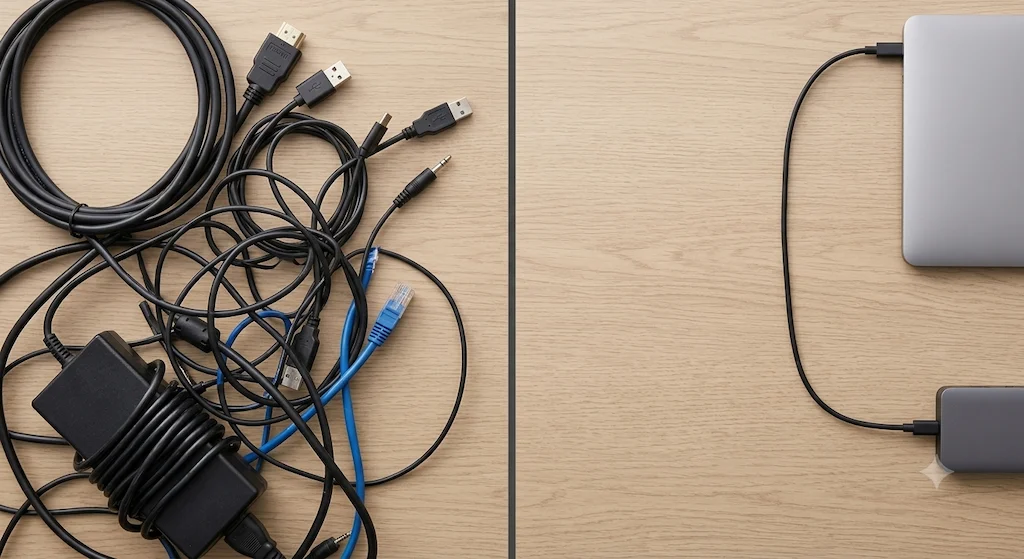
Before a dock vs after. Same desk, same devices — one cable changes everything.
2. Anker Docking Station Reviews — Every Current Model
Anker Prime Thunderbolt 5 — Best Anker Dock Overall
Anker Prime Thunderbolt 5 Docking Station
Anker
Connection
Thunderbolt 5
Displays
Up to 3
Power
140W PD
Driver
Native
Ports
14 Total
✦ Best for: Thunderbolt 5 laptop owners who need maximum bandwidth and future-proofing.
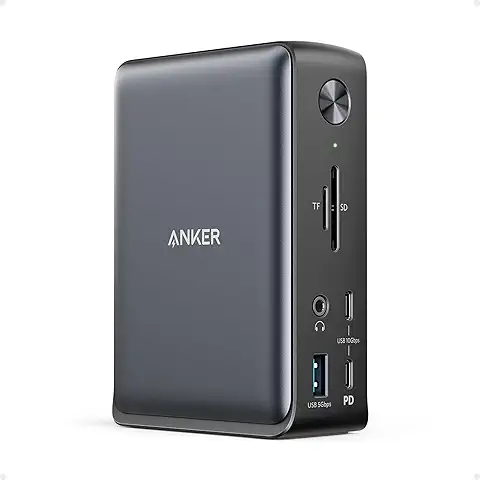
The Anker Prime TB5 is the flagship Anker docking station. It’s a 14-in-1 Thunderbolt 5 dock with an internal GaN power supply — no external brick, just a power cord. The compact, Mac-mini-like design is a departure from traditional docks. It delivers 140W of host charging, enough for a 16″ MacBook Pro under full load.
Display support: Triple 4K@144Hz on Windows (with DSC), dual 8K@60Hz, or single 8K@60Hz. On Mac, dual displays at up to 8K@60Hz with Thunderbolt 4/5 support.
The catch: HDMI and DisplayPort cannot be used simultaneously. SD card reader is UHS-I, not UHS-II. Power button is slightly unresponsive.
Verdict: The best Anker docking station available. On a TB4 laptop today, it runs at full TB4 speeds with zero compromise. When you upgrade to a TB5 machine, the dock upgrades with you — no repurchase, no adapter, no regret. One dock for every laptop you’ll own in the next five years. See real-world failure patterns →
Anker Nano A83C3 (13-in-1) — Best for Travel + Desk Combo
Anker Nano A83C3 Docking Station (13-in-1)
Anker
Connection
USB-C
Displays
Up to 3
Power
100W PD
Driver
Native
Ports
13 Total
✦ Best for: Users who split time between a home office and travel and don’t want to carry two separate devices.
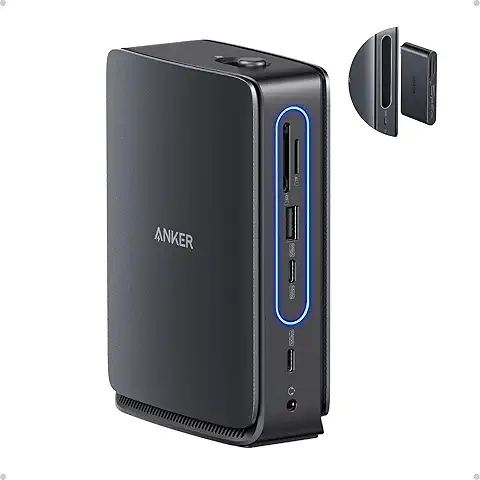
The Anker Nano A83C3 is the oddball in the lineup. It’s a 13-in-1 desktop dock with a 6-in-1 hub that physically snaps off — you leave the dock on your desk and take the hub with you. One cable setup at home, one pocket-sized hub on the road. It’s a smart idea that most docking station brands haven’t bothered with.
1x USB-C upstream (100W PD)
1x USB-C data 10Gbps, 1x USB-C data 5Gbps
3x USB-A
2x HDMI, 1x DisplayPort
1x GbE Ethernet
SD/TF card slots, 3.5mm audio, DC power input
Display support: Single 4K@60Hz, dual 1440p@60Hz, or triple 1080p@60Hz on Windows. Mac support exists — but all external displays mirror, they don’t extend. If you’re a Mac user who needs two independent screens, this dock won’t do it.
The catch: No Thunderbolt — USB-C only. The detachable hub is convenient but the connection between the two pieces feels less solid than a standard dock after a few months of daily snap-on/snap-off use. Mac multi-display limitation is a hard wall.
Verdict: The right call if you’re on Windows and want one device to cover desk and travel — two docks in one price. If you’re on Mac and need extended displays, the Prime TB5 handles that natively with no workarounds, and the detachable hub concept won’t be something you miss.
✦ Best for: Power-heavy Windows desks that need 160W charging and dual displays from a single USB-C cable.
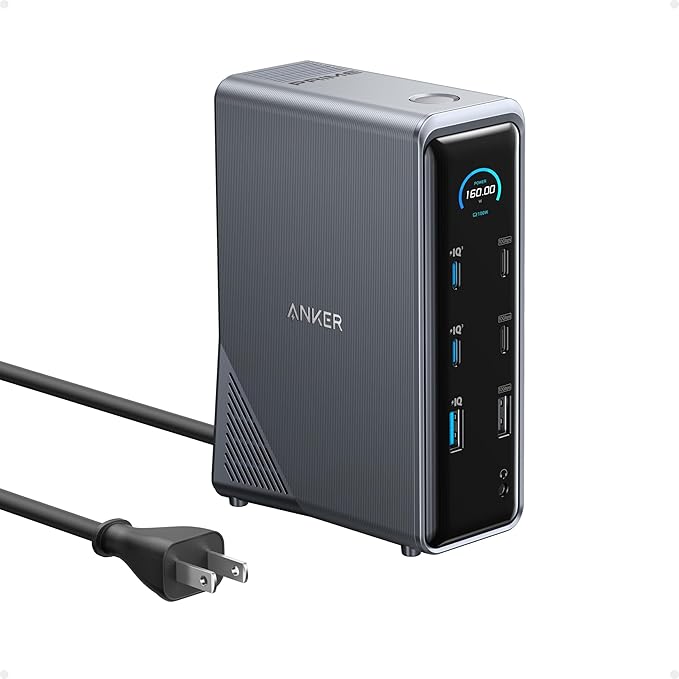
The Anker Prime A83B6 is the highest-wattage USB-C dock in the Anker lineup. At 160W host charging with Smart Charging technology, it handles power-hungry laptops that other USB-C docks can’t keep up with. It’s a 14-in-1 built for Windows desks that need serious power delivery alongside a clean dual-display setup — without requiring a Thunderbolt port.
160W Smart Charging — highest PD in the Anker USB-C lineup
14-in-1 port layout — USB-A, USB-C, Ethernet, SD, audio
USB-C DP Alt Mode — works with any USB-C laptop, no Thunderbolt required
Display support: Dual 2K@60Hz on Windows with DP 1.4. Dual 1080p@60Hz with DP 1.2. Single display up to 4K@60Hz. Mac users: displays mirror only — no extended screen support.
The catch: No Thunderbolt — bandwidth capped at USB-C speeds. Mac multi-display mirrors only. Not the right dock if you need triple screens.
Verdict: The right call when 160W charging is the hard requirement and two screens is enough. If your workload grows to triple displays or you move to a Thunderbolt 5 laptop, the Prime TB5 handles both without replacing anything else in your setup.
Anker 777 Thunderbolt 4 — The Discontinued Benchmark
Anker 777 Thunderbolt 4 Docking Station
Anker
Connection
Thunderbolt 4
Displays
Up to 3
Power
90W PD
Driver
Native
Ports
12 Total
✦ Best for: Windows Thunderbolt 4 users who find one at a good price.
The Anker 777 was a 12-in-1 Thunderbolt 4 dock with dual HDMI, one downstream TB4 port, UHS-II SD, and GbE Ethernet. It earned a strong reputation for reliability on Windows desks before Anker discontinued it. Units still appear on Amazon and third-party sellers.
2x HDMI 2.0, 1x downstream TB4
90W host charging
UHS-II SD card reader
1x USB-C 10Gbps, 3x USB-A, GbE Ethernet, audio
Display support: Single 8K@30Hz, dual 4K@60Hz, or triple 4K@30Hz on Windows. On Mac, both HDMI ports mirror — no extended display support on M1 or later.
The catch: Discontinued — no firmware updates going forward. Mac incompatible for multi-monitor. Getting harder to find at a fair price.
Verdict: If you find one at a fair price, it’s a proven TB4 dock that will run cleanly for years. When it eventually needs replacing, the Prime TB5 is the natural upgrade — same Anker build quality, more bandwidth, and a dock that keeps up with every laptop you’ll buy next. See common 777 problems →
✦ Best for: Windows users who need triple displays on a budget and don’t have Thunderbolt.
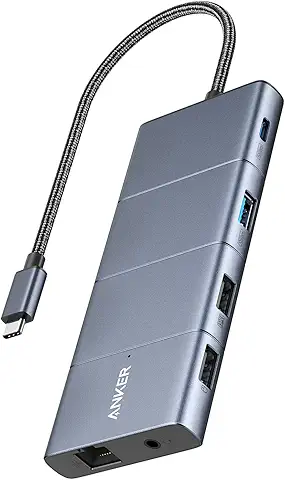
The Anker 575 is a 13-in-1 USB-C dock with 85W charging, DisplayPort 1.4, two HDMI 2.0 ports, Gigabit Ethernet, SD/microSD slots, and five USB ports. It’s compact, well-built, and supports triple displays on Windows.
Triple displays: 1080p@60Hz
Dual displays: 1440p@60Hz
Single display: 4K@60Hz
The catch: No Thunderbolt — bandwidth is capped at 10Gbps. It can get hot under sustained load. Mac users report buggy dual-display behavior.
Verdict: The best Anker docking station for budget-conscious Windows users who need three screens and don’t need Thunderbolt speeds. When your next laptop arrives with a Thunderbolt port, the Prime TB5 picks up exactly where the 575 leaves off — same brand, no compatibility surprises, and a dock that handles everything you’ll throw at it next.
Anker 565 USB-C (11-in-1) — Best Budget Dual-Display
Anker 565 USB-C Hub (11-in-1)
Anker
Connection
USB-C
Displays
Up to 2
Power
85W PD
Driver
Native
Ports
11 Total
✦ Best for: Budget dual-display setups on Windows, Mac, or ChromeOS.
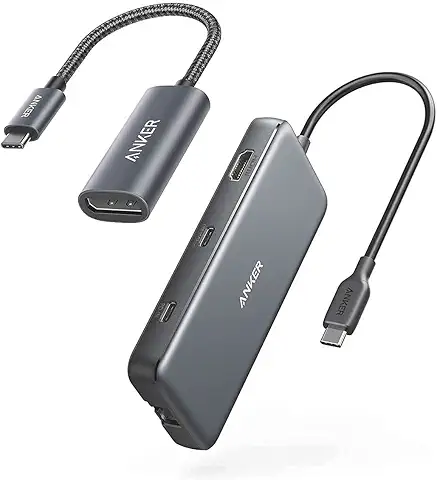
The Anker 565 is an 11-in-1 USB-C hub with a metal build, dual display output, 85W pass-through charging, and 10Gbps data — in a compact form factor that works across Windows, Mac, and ChromeOS. It’s one of the better-built budget docks in the Anker lineup.
Display support: Dual 2K@60Hz with a DP 1.4 laptop, or dual 1080p@60Hz with DP 1.2. Single display reaches 4K@60Hz. Mac displays mirror only — no extended screen support.
The catch: No Linux support. Two of four USB-A ports run at 480Mbps. Charger not included for pass-through charging. Mac multi-display mirrors only.
Verdict: A clean, metal-built dual-display hub at a fair price. It handles two monitors and a full desk setup without complaint. When you need triple displays or Thunderbolt bandwidth, the 575 or Prime TB5 are the direct upgrade — same ecosystem, no compatibility surprises.
✦ Best for: Travel, single-display setups, and light office work.
The Anker 555 is an 8-in-1 USB-C hub with 100W pass-through charging, 4K@60Hz HDMI, 10Gbps USB-C and USB-A data, Gigabit Ethernet, and SD/microSD slots. It’s compact, portable, and reliable.
1x HDMI (4K@60Hz)
100W pass-through charging
1x USB-C 10Gbps, 1x USB-A 10Gbps
GbE Ethernet, SD/microSD slots
Display support: Single 4K@60Hz.
The catch: The built-in cable is short. It runs hot under sustained load. There are reports of SD card disconnection and, in one case, potential laptop damage.
Verdict: A solid entry-level Anker dock for single-display travel use. It fits in a bag, powers your laptop, and runs a 4K monitor without complaint. When your setup grows to two monitors or you need more ports at your desk, the 565 adds exactly that without changing anything else about how you work.
→ Anker Prime TB5 only. Everything else is underpowered or lacks Mac compatibility. The 777 is a bad Mac dock. The USB-C models mirror instead of extending on dual display.
→ Anker Prime TB5 for TB5 hosts. Anker Prime A83B6 if you need 160W charging across multiple devices. Anker 575 for budget triple-display builds. The 777 is discontinued — don’t chase it.
For MacBook Air / Single Display Users
→ Anker 555 or 565. The Prime TB5 is overkill for a single display. The 565 gives you dual display for future-proofing, metal build, and a cleaner port layout than the old 565.
→ Anker 565 or 575 (if you find it on sale). Honest limitations: no Thunderbolt, capped bandwidth, and heat under sustained load.
For Travel / Hot-Desking
→ Anker 555 for the lightest option — fits in a bag, runs a 4K monitor, done. Anker Nano A83C3 if you want a full desk dock at home and a portable hub on the road without buying two separate devices.
The Anker 555 fits in any bag — full desk connectivity wherever you land.
Verdict: CalDigit wins on port count, Ethernet speed, and passive cooling. Anker wins on power supply design — no external brick — and price.
If silence and 10GbE matter, go CalDigit.
If desk cable clutter and budget matter, the Prime TB5 is the better fit.
Anker USB-C Docks vs UGREEN / Baseus
Anker’s USB-C lineup (575, 565, 555) competes directly with UGREEN and Baseus. The protocol-level difference: they’re all USB-C, not Thunderbolt. Anker’s build quality is generally better than Baseus, and their support is more established. UGREEN offers higher wattage on some models — but for Thunderbolt performance, none of them compete. That’s the Prime TB5’s territory alone.
5. Common Anker Docking Station Problems
Problem
Affects
Fix
Display drops after sleep
Prime TB5, 777
Update firmware, disable sleep power-saving
Charging cuts out under load
All USB-C models
PD negotiation — laptop draws more than dock delivers. Use OEM charger alongside dock.
Best overall (TB5) → Anker Prime TB5 — 14 ports, 140W charging, triple 4K. If you have a Thunderbolt 5 or USB4 machine, this is the one.
Best mid-range (USB-C) → Anker 575 — 13 ports, triple display, around $100. Covers most Windows power users without needing a TB5 port.
Best budget dual-display → Anker 565 — 11 ports, dual 4K, around $80. Enough for a clean home office setup if you are not chasing high refresh rates.
Best travel dock → Anker 555 — 8 ports, compact, around $50. Plug in at the desk, unplug, go.
Avoid → Anker 777 — discontinued, mirrors instead of extends on Mac, and the Prime TB5 exists. Skip it.
7. FAQ
Yes. Anker makes reliable docks across a wide range of budgets. The Anker docking station lineup is one of the most comprehensive in the industry. Their build quality is solid, and they have active firmware support for the Prime models. For a broader look at how they compare to other brands, see our Best Docking Station guide.
Yes, the Anker Prime TB5 works with MacBook Pro M4 Pro/Max and newer with Thunderbolt 5 support. It delivers 140W charging — enough for a 16″ MacBook Pro. Base M1/M2/M3 Macs are limited to one external display, regardless of the dock. For Mac‑specific docking guidance, see our MacBook Docking Station guide.
Anker replaced it with the Prime TB5 (Thunderbolt 5) and the 575 (USB‑C). The 777 occupied a middle ground that Anker no longer fills. It’s still a decent Windows dock if you find one, but Mac users should avoid it due to mirroring issues.
Yes — the Anker 565 and 575 support dual 4K@60Hz on Windows. Mac support varies: M1/M2 base chips are limited to one display regardless of the dock. For a deep dive on display-topology limits, see our Docking Station for Dual Monitors guide.
Both are Thunderbolt 5 docks, so the comparison comes down to features. The CalDigit TS5 Plus has 20 ports, 10GbE Ethernet, and passive cooling — no fan noise. The Anker Prime TB5 has 14 ports, 2.5GbE, and an internal GaN power supply with no external brick. CalDigit wins on port count and Ethernet speed. Anker wins on desk cable management and price. If silence and 10GbE matter, go CalDigit. If you want a cleaner desk and a lower price, buy the Prime TB5.
Yes. Anker docks are primarily Windows‑first. The 777, 575, 565, and 555 all work with Windows laptops. The Prime TB5 is the only model that requires Thunderbolt 5 on the host for full bandwidth, but it’s backward compatible with Thunderbolt 4 and USB4.
The 777 is a Thunderbolt 4 dock (discontinued) with 90W PD, Gigabit Ethernet, and triple‑display support. The 575 is a USB‑C dock with 85W PD, Gigabit Ethernet, and triple‑display (1080p only). The 777 is faster and more capable, but hard to find and Mac‑unfriendly. The 575 is cheaper, more available, and Windows‑only for triple‑display.
8. Why You Can Trust This Guide
Alex
Alex has spent five years testing Thunderbolt and USB-C docking stations across enterprise IT deployments and creative studio setups. He’s put more than 40 docks through sustained load testing — checking thermal throttling, power delivery consistency, and multi-monitor stability over days, not minutes. Before writing about hardware, he managed workstation procurement for a mid-size design agency, which is where he learned how fast a cheap dock can kill a deadline. His coverage focuses on what actually breaks, what the spec sheet doesn’t tell you, and which products are still running clean six months after unboxing.
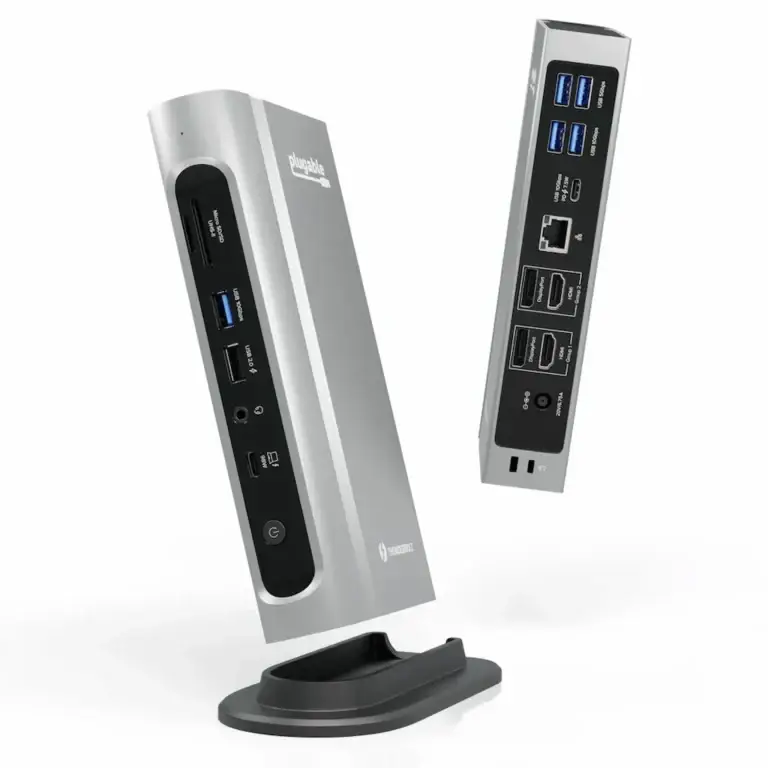
Why the Plugable TBT4-UDZ Docking Station Fails Most problems with the Plugable TBT4-UDZ docking station fall into three categories: power delivery negotiation failures, display topology limitations, and firmware/thermal instability. The TBT4-UDZ is a Thunderbolt 4 dock designed to drive up to four 4K displays, but like all Thunderbolt docks, it behaves like I/O infrastructure—not a simple accessory. What users typically…
Docking Station Not Charging Laptop — Why It Happens and How to Fix It Your docking station is lit up, your monitors are running, but your laptop battery is draining. The connection is there. The power isn’t. This is one of the most misdiagnosed failures in modern workstation setups — and it almost never means…
BLUF (Bottom Line Up Front) — Why Does My Laptop Docking Station Keep Failing? ⚡ Quick Answer A laptop docking station is a power controller, PCIe router, display tunnel, and USB hub operating through a single upstream cable. Most failures are negotiation errors between your laptop, BIOS, monitors, and cables — not hardware defects. A…
⚡ Quick Answer — Dell WD22TB4 Problems The Dell WD22TB4 fails by lane, not as a single unit. Its four internal lanes — Power, Video, Data, and Management — can fail independently, which is why you get precise symptoms: charging works but displays don’t, USB is dead while video is perfect, or the dock lights…
Quick Answer — Best Docking Station for MacBook Pro The best docking station for MacBook Pro is the CalDigit TS4 — a Thunderbolt 4 dock with 98W charging, fanless operation, and native dual 6K@60Hz support on M1 Pro/Max/Ultra chips and newer. For Thunderbolt 5 MacBook Pros (M4 Pro/Max and later) who need maximum bandwidth and 10GbE networking,…