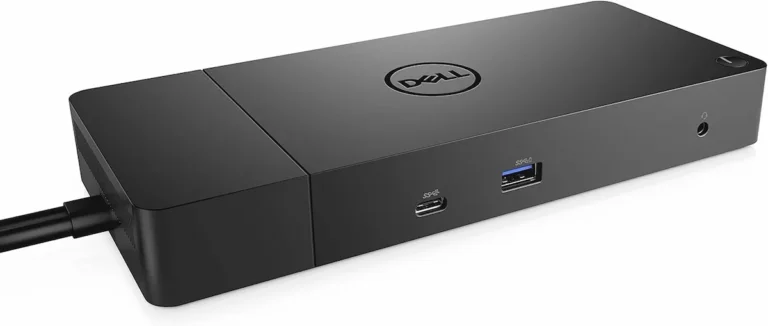
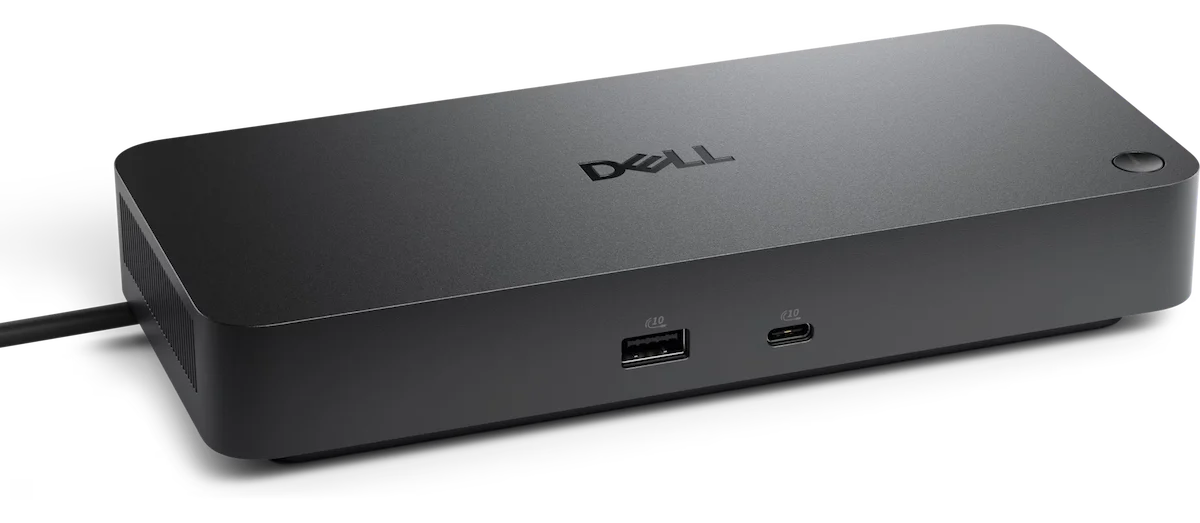
Dell Pro Dock WD25: The WD19S Upgrade That Finally Delivers

⚡ Quick Answer
Dell Pro Dock WD25 — Quick Verdict
The Dell Pro Dock WD25 is the direct WD19S replacement — 2.5GbE, HDMI 2.1, four display outputs, 96W non-Dell charging, same USB-C cable. Launched at $239.99, now $199.99. Rated 4.6/5 across 603 Dell.com reviews.
- Best for: Dell Latitude/XPS fleet upgrades from WD19S
- Best for: USB-C laptops needing 2.5GbE + multi-display
- Best for: Non-Dell users needing 96W PD without Thunderbolt tax
- Need Thunderbolt? The WD22TB4 is the next step up
All specs verified from Dell official documentation.
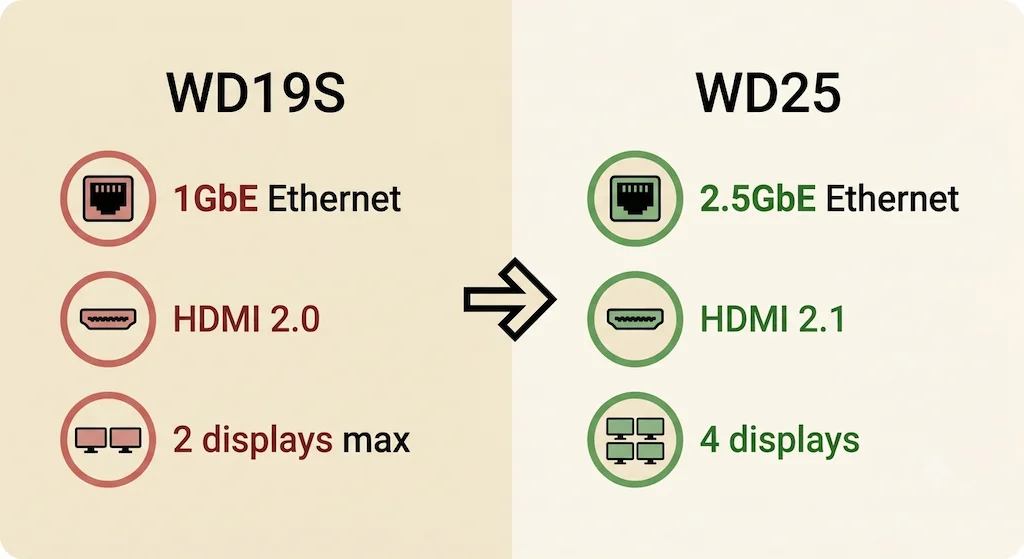
The WD19S bottleneck was always the same: 1GbE Ethernet, HDMI 2.0, two-display ceiling, and a 180W power brick that costs more to replace than the dock itself. The Dell Pro Dock WD25 fixes all four. Same USB-C form factor, same cable, same desk footprint — 2.5GbE, HDMI 2.1, four display outputs, and a lighter 130W adapter. It launched at $239.99 in April 2025 and has since dropped to $199.99.
After 16 months on the market, the WD25 holds a 4.6/5 across 603 Dell.com reviews — one of the strongest launch ratings in the current Dell lineup. If you’re running WD19S units or shopping for a USB-C Dell dock right now, this is the one to buy. Check current price →
Dell Pro Dock WD25 Specs: What You’re Actually Getting
| Spec | Dell Pro Dock WD25 |
|---|---|
| Protocol | USB-C DisplayPort Alt Mode (no Thunderbolt) |
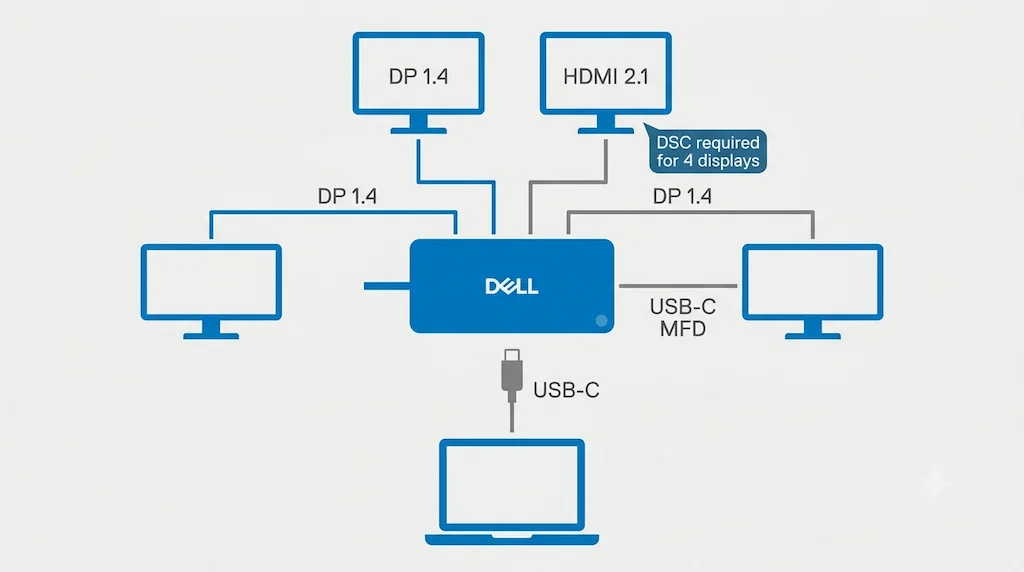
| Video Ports | 2x DP 1.4 + 1x HDMI 2.1 + 1x USB-C MFD |
| Max Displays | 4 (DSC required for 4x WQHD — see note) |
| USB-A Ports | 4x USB 3.2 Gen2 10Gbps (4.5W each) |
| USB-C Ports | 1x USB 3.2 Gen2 10Gbps (15W) + 1x MFD (7.5W) |
| Ethernet | 2.5GbE |
| Power Delivery | 100W Dell / 96W non-Dell |
| AC Adapter | 130W |
| Cable | 0.9m ambidextrous USB-C |
| Wake-on-LAN | S0/S3/S4/S5 |
| MAC Address Pass-Through | Dell + non-Dell |
| WLAN to LAN Switch | Yes |
| Port Disablement | Yes (IT managed) |
| macOS Support | No |
| Price | $199.99 (was $239.99) |
Display note: With Display Stream Compression (DSC): up to 4x WQHD@60Hz or 1x 6K@60Hz. Without DSC: up to 2x QHD@60Hz or 1x 4K@60Hz. Check your laptop’s DP bandwidth before planning a 4-monitor build.
2.5GbE is the single biggest practical upgrade over every older Dell USB-C dock in the lineup — 1GbE was the WD19S’s most complained-about spec.
Dell Dock Lineup: WD25, WD19S, WD22TB4
Three docks, three use cases.
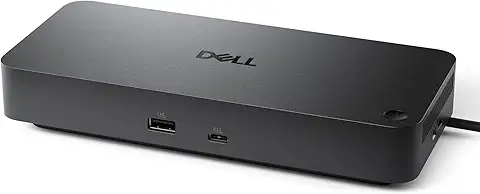
Dell Pro Dock WD25
Dell · USB-C · 2.5GbE ·
✦ Best for: Dell Latitude/XPS fleet upgrades from WD19S
The WD19S replacement. Same USB-C cable, same form factor — 2.5GbE instead of 1GbE, HDMI 2.1 instead of HDMI 2.0, four display outputs instead of two. Rated 4.6/5.
Display support: 4x WQHD@60Hz with DSC / 1x 4K@60Hz without DSC
available at amazon →Verdict: If you’re buying a new USB-C Dell dock in 2026, this is the one. Upgraded on every spec that mattered on the WD19S.
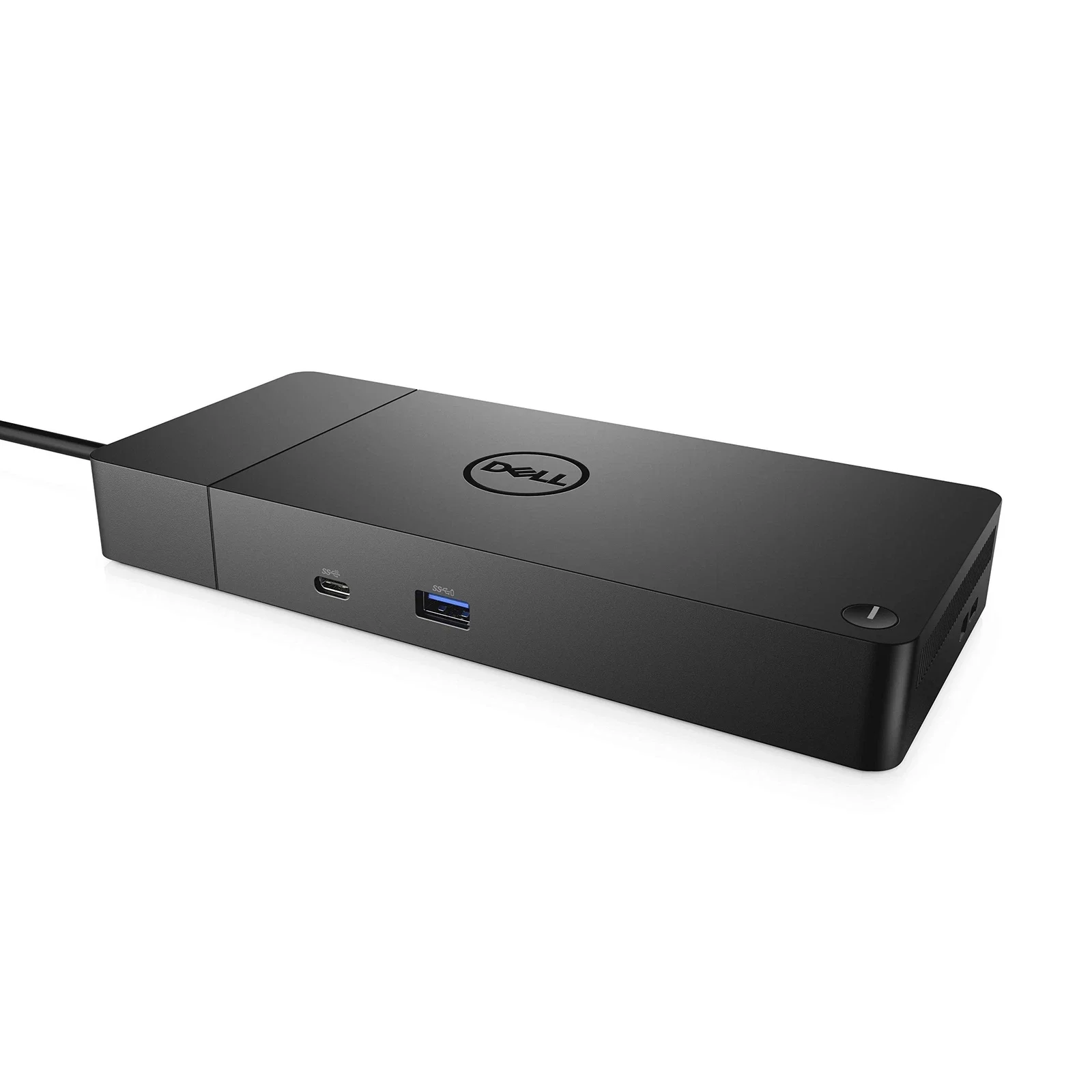
Dell WD19S
Dell · USB-C · 1GbE · Legacy
✦ Best for: Used/refurbished builds — proven fleet reliability at lower cost
The most widely deployed Dell USB-C dock. 1GbE Ethernet, dual 4K@60Hz, 130W Dell charging on 180W adapter. No longer sold new — but available refurbished with a proven track record across enterprise fleets.
Display support: Dual 4K@60Hz via 2x DP 1.4 + USB-C MFD
available at amazon →Verdict: Buying new? Get the WD25. Buying refurbished at half price? The WD19S still holds up — reliability track record is as proven as it gets.
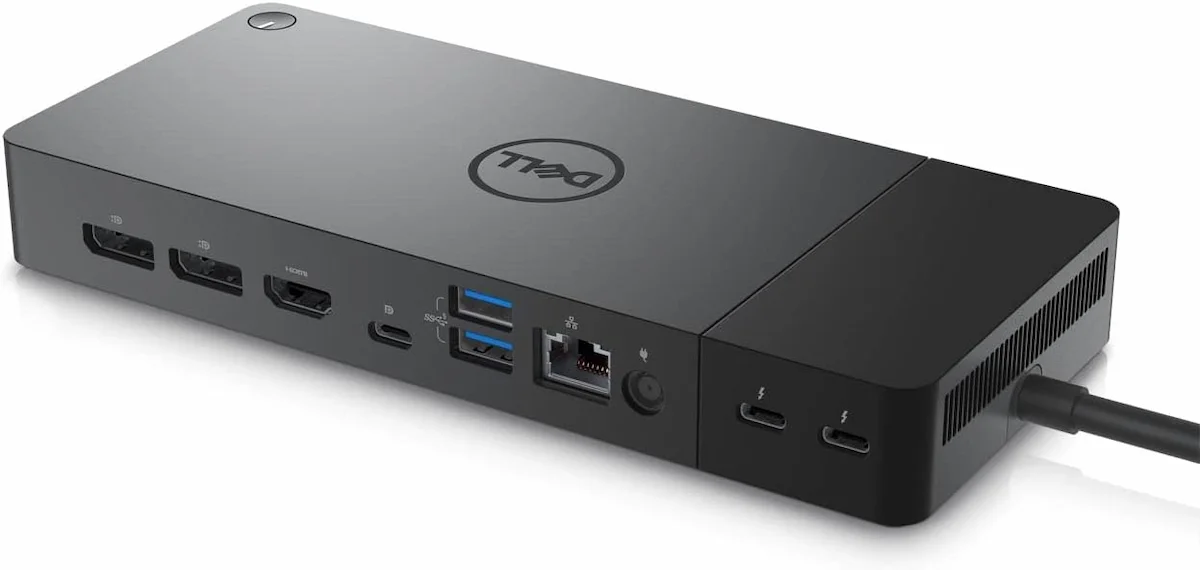
Dell WD22TB4
Dell · Thunderbolt 4 · 1GbE · 130W
✦ Best for: Dell TB4 laptops needing 130W charging, eGPU, and TB4 passthrough
Dell’s Thunderbolt 4 flagship. 130W Dell charging (30W more than the WD25), TB4 downstream for eGPU and NVMe enclosures, up to 4 displays. Requires a Thunderbolt 4 port on your laptop — if you have one, the bandwidth advantage is real.
Display support: Up to 4 displays via 2x DP 1.4 + HDMI 2.0 + 2x TB4 downstream
available at amazon →Verdict: TB4 port on your laptop and need eGPU or 130W? The WD22TB4 beats the WD25. USB-C only laptop? Save the premium and get the WD25.
Dell WD25 vs WD19S: Every Upgrade, Side by Side
If you manage WD19S units, here’s exactly what you’re getting.
| Feature | Dell WD19S | Dell Pro Dock WD25 | Winner |
|---|---|---|---|
| Ethernet | 1GbE | 2.5GbE | WD25 ✅ |
| HDMI | 2.0 | 2.1 | WD25 ✅ |
| Max Displays | 2 (3 on select Dell) | 4 | WD25 ✅ |
| Non-Dell PD | 90W | 96W | WD25 ✅ |
| Dell PD | 130W | 100W | WD19S ✅ |
| AC Adapter | 180W | 130W | WD25 ✅ |
| Cable | 1.0m | 0.9m ambidextrous | WD25 ✅ |
| WLAN to LAN Switch | No | Yes | WD25 ✅ |
| Port Disablement | No | Yes | WD25 ✅ |
| Audio Jack | No | No | Tie |
| macOS | Limited | Not supported | WD19S (marginally) |
| Price (new) | Discontinued/used | $199.99 | WD25 ✅ |
Verdict: WD25 wins 9 out of 12 categories. The one real regression is Dell PD: WD19S delivers 130W to Dell laptops via 180W adapter; WD25 delivers 100W via 130W adapter. For Latitude and standard XPS users, 100W covers everything. Precision workstation users running 170W+ should verify their laptop’s minimum charge rate before switching.
The upgrade math is simple: $199.99, same cable, better Ethernet, better display, lighter adapter.
If you’re still troubleshooting WD19S issues, our Dell WD19S Not Working guide covers the failure modes you’ve been dealing with.
Dell WD25 vs WD22TB4: USB-C or Thunderbolt?
One port decides everything: if your laptop has a Thunderbolt logo, the WD22TB4 is the right call. If it’s plain USB-C, the WD25 is better on three specs the WD22TB4 can’t match.
| Feature | Dell Pro Dock WD25 | Dell WD22TB4 | Winner |
|---|---|---|---|
| Protocol | USB-C | Thunderbolt 4 | — |
| Ethernet | 2.5GbE | 1GbE | WD25 ✅ |
| HDMI | 2.1 | 2.0 | WD25 ✅ |
| Non-Dell PD | 96W | 90W | WD25 ✅ |
| Dell PD | 100W | 130W | WD22TB4 ✅ |
| AC Adapter | 130W | 180W | WD25 ✅ |
| TB4 Passthrough | No | Yes | WD22TB4 ✅ |
| eGPU Support | No | Yes | WD22TB4 ✅ |
| Bandwidth | USB-C speeds | 40Gbps | WD22TB4 ✅ |
| Price | $199.99 | ~$200–230 | Similar |
Choose WD25: USB-C laptop, need 2.5GbE, lighter adapter, non-Dell laptop at 96W.
Choose WD22TB4: TB4 laptop, need 130W Dell PD, eGPU, TB passthrough.
If your fleet includes both USB-C and TB4 laptops, standardize on the WD22TB4 — it works on both, and the 130W Dell charging headroom is worth the 180W adapter.
For a broader look at Dell docking station failures across models, see our Dell Docking Station Not Working guide.
Who the Dell Pro Dock WD25 Is Built For
Three types of buyers reach for the WD25. All three get a dock that over-delivers for what they paid.
Dell fleet admin replacing WD19S at scale
You’re running 50–500 WD19S units. The ports are dated, the 1GbE is a genuine bottleneck for file transfers and video calls, and the 180W adapters are expensive to replace. The WD25 is the same USB-C form factor, same cable standard — a hot-swap upgrade with no re-cabling. WLAN to LAN switch and Port Disablement are new management controls your MDM will recognise. 4.6/5 across 603 Dell.com reviews after 16 months in enterprise deployments.
Check Price on Amazon →
Individual Dell Latitude or XPS user
You don’t need Thunderbolt. Your laptop is USB-C, your monitor is HDMI or DisplayPort, and you want one cable that charges and connects everything. The WD25 delivers 100W Dell charging, dual display out of the box, and 2.5GbE for fast file transfers. At $199.99 it’s the cleanest one-cable desk solution for a non-Thunderbolt Dell laptop.
Check Price on Amazon →
Non-Dell laptop user who needs 96W PD
The WD25 isn’t Dell-only. Any USB-C laptop with DisplayPort Alt Mode gets 96W charging — the highest non-Dell PD in the USB-C Dell lineup. If you’ve been shopping for a reliable USB-C dock with fast charging and 2.5GbE and don’t have Thunderbolt, the WD25 competes directly with third-party TB4 alternatives at the same price.
Check Price on Amazon →
Skip if: Thunderbolt 4 laptop → WD22TB4. Mac user → not officially supported.
One Known Issue to Watch
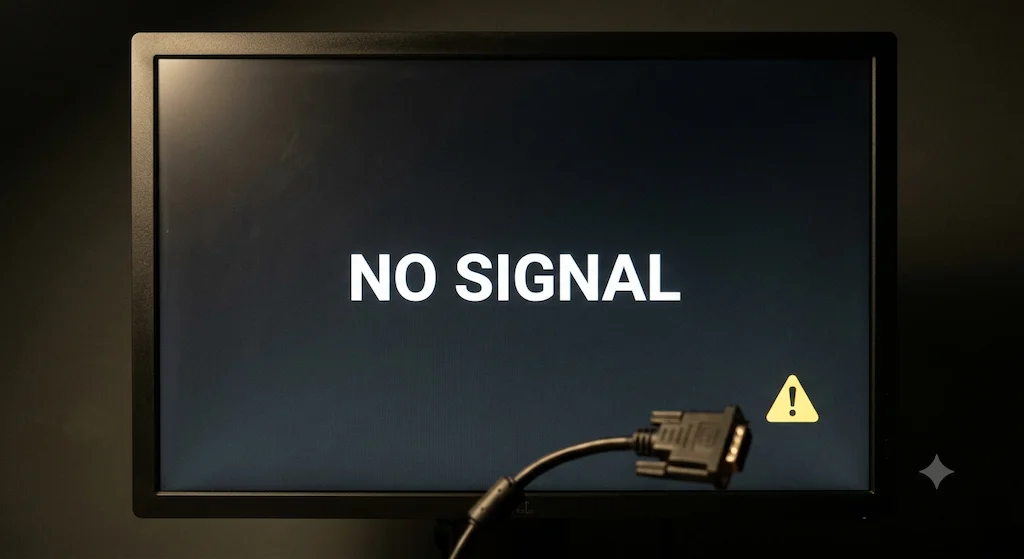
The issue: Firmware version 01.01.13.01 causes no-display or resolution errors when using HDMI-to-DVI or DisplayPort-to-DVI dongles. Direct HDMI-to-HDMI and DP-to-DP connections are not affected.
Who it affects: Users with older DVI monitors connected via dongle. Rare in modern office deployments.
Fix: Dell confirmed firmware 01.01.15.01 resolves it — expected September 2026. Until then: roll back to firmware 01.01.11.01 via Dell Drivers & Downloads, or switch to a direct HDMI or DP cable.
Bottom line: If you’re connecting modern HDMI or DisplayPort monitors directly, this doesn’t affect you. If you’re using DVI dongles, wait for the September firmware or roll back.
Dell Pro Dock WD25 — Frequently Asked Questions
Why You Can Trust This Guide

Alex
Hardware Analyst · Docking Station Specialist
Alex has spent the better part of six years in the weeds on enterprise docking station deployments — testing hardware, chasing firmware bugs, and reading more Dell release notes than any person reasonably should. He focuses on USB-C and Thunderbolt ecosystems, with a particular interest in how fleet hardware decisions play out at scale. When a new dock launches, he’s usually the one pulling the spec sheet apart before the reviews arrive. Every claim in this article was verified against Dell’s official documentation before it went live.
Sources & References
Sources & Citations
- Dell Official Product Page — confirms 100W Dell / 96W non-Dell PD, 2x DP 1.4, 1x HDMI 2.1, USB-C MFD, 4x WQHD@60Hz with DSC, 2.5GbE Ethernet.
https://www.dell.com/en-hk/shop/dell-pro-dock-wd25/apd/210-brmc/ - Dell Support KB000453947 — documents firmware 01.01.13.01 causing no-display or resolution issues with HDMI-to-DVI and DP-to-DVI dongles; fix expected in 01.01.15.01 (late September 2026); rollback to 01.01.11.01 available.
https://www.dell.com/support/kbdoc/en-my/000453947/ - Amazon US Listing — ASIN B0FCSHJGGK — product listing confirming 2x DP 1.4, HDMI 2.1, 6 USB ports, 2.5GbE, up to 100W PD, 3-year warranty.
https://www.amazon.com/dp/B0FCSHJGGK?tag=byrdpilot-20
Related Posts
MacBook Docking Station: What Apple Doesn’t Tell You
⚡ Quick Answer — MacBook Docking Station The best macbook docking station depends entirely on your chip. Base M1 and M2 MacBook Air are hardware-limited to one external display — no dock changes that. M3 MacBook Air supports one display with the lid open, and two displays in clamshell mode. M1 Pro through M4 Max…
Docking Station Not Detecting Monitor? HDMI, DisplayPort & USB-C Failure Modes Explained
The Black Screen Paradox Your docking station is powered. USB works. Ethernet works. The monitor shows “No Signal.” A docking station not detecting monitor output is one of the most misdiagnosed failures in modern workstation setups — because everything else keeps working. That combination — partial function, failed video — has one explanation: DisplayPort negotiation…
CalDigit TS4 Not Working? Real Failure Modes & 2026 Diagnostic Fixes
BYRDPILOT BLUF: (Bottom Line Up Front) ⚡ Quick Answer — CalDigit TS4 Not Working The CalDigit TS4 stops working due to four root causes: corrupted Thunderbolt handshake data (fixed by a 45-second full power cycle), outdated firmware (requires v.45.1 for M4 Mac + macOS Tahoe), a failing host cable (responsible for 40% of intermittent failures),…
Plugable TBT4-UDZ Problems: Ethernet, Sleep & DisplayPort Fixes (2026)
Why the Plugable TBT4-UDZ Docking Station Fails Most problems with the Plugable TBT4-UDZ docking station fall into three categories: power delivery negotiation failures, display topology limitations, and firmware/thermal instability. The TBT4-UDZ is a Thunderbolt 4 dock designed to drive up to four 4K displays, but like all Thunderbolt docks, it behaves like I/O infrastructure—not a simple accessory. What users typically…
Dell WD19 Not Working — Fix It or Replace It? The Honest 2026 Answer
The Dell WD19 doesn’t fail dramatically. It fails quietly. No error codes. No warning lights. Just a monitor that stops coming back after sleep, a charging indicator that lies, or a connector that works perfectly until the day it doesn’t. That’s what makes the WD19 frustrating to troubleshoot. It has a reputation for reliability —…
Best Docking Station (2026): Every Pick, Every Setup
BYRDPILOT BLUF: The 2025 Champions (and the 2026 TB5 Successors) ⚡ Quick Answer Best Docking Station in 2026 The CalDigit TS5 Plus is the best docking station for most setups — Thunderbolt 5, 180W charging, triple 4K on Mac and Windows. For budget builds, the UGREEN Revodok Max 213 delivers Thunderbolt 4 at under $200….