Skip to content
This site contains affiliate links. Recommendations are based on hardware stability and firmware reliability — not commissions. Your purchases support our research. Full disclosure.
ByrdPilot
  • Home
  • Docking Station
    • Thunderbolt 5
    • Thunderbolt 4
    • USB-C / USB4
    • Troubleshooting
  • Daisy Chaining
  • NAS Storage & Servers
  • KVM Switches
  • Dock Scan
  • Compare Docks
Compare Docks
  1. Home
  2. Docking Station
  3. Troubleshooting

Category

Troubleshooting

Docking station troubleshooting guides: fix random disconnects, flickering monitors, Ethernet drops and overheating, with step-by-step fixes.

  • All Docking Station
  • Thunderbolt 5
  • Thunderbolt 4
  • USB-C / USB4
  • Troubleshooting
  • Docking Station

    How to Connect Two Monitors to a Laptop (Windows & Mac)

    Two Monitors on One Laptop How to connect two monitors to a laptop depends on which ports it sends video out of,… Hans Pedersen · November 3, 2026 Read more
  • Docking Station

    Best Anker Docking Station for Mac & Windows (2026)

    Anker Docking Station Anker’s docking station lineup spans from compact travel hubs to a Thunderbolt 5 workstation. The Anker Prime TB5 is… Alex Atkinson · August 5, 2026 Read more
  • Docking Station

    Best Docking Station for MacBook Air (2026): 7 Tested Picks

    Best Docking Station for MacBook Air The best docking station for MacBook Air depends on your chip and your display needs. For… Alex Atkinson · July 8, 2026 Read more
  • Docking Station

    Best Docking Station for MacBook Pro (2026): 9 Tested Picks

    Best Docking Station for MacBook Pro The best docking station for MacBook Pro is the CalDigit TS4 — a Thunderbolt 4 dock… Alex Atkinson · July 2, 2026 Read more
  • Docking Station

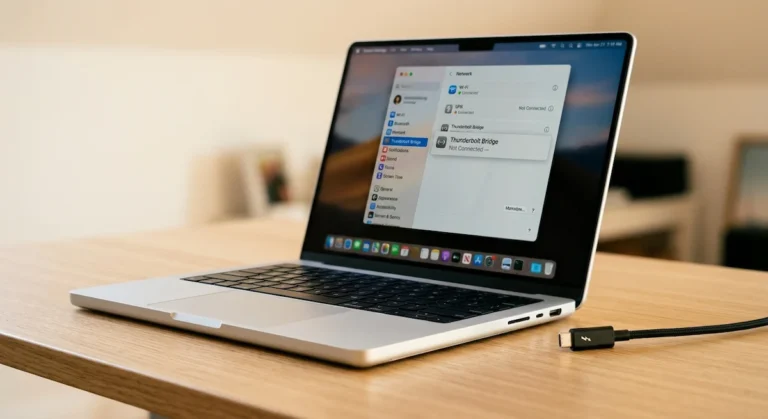
    Thunderbolt Bridge Not Connected: How to Fix It (Mac & Windows)

    Thunderbolt Bridge Not Connected Thunderbolt Bridge is a direct Mac‑to‑Mac (or Mac‑to‑Windows) network connection over a Thunderbolt cable. “Not Connected” means the… Alex Atkinson · June 11, 2026 Read more
  • Docking Station

    DisplayLink Manager: Setup, Drivers & Problems Explained (2026)

    DisplayLink Setup & Problems DisplayLink Manager (also written Display Link Manager) is the software for a Synaptics DisplayLink chip, which that compresses… Alex Atkinson · June 10, 2026 Read more
  • Docking Station

    MacBook Docking Station: What Apple Doesn’t Tell You

    MacBook Docking Station The best macbook docking station depends entirely on your chip. Base M1 and M2 MacBook Air are hardware-limited to… Alex Atkinson · June 2, 2026 Read more
  • Docking Station

    How to Clean a Thunderbolt Hub: Stop Overheating, Disconnects & Port Failures (2026)

    Dust kills Thunderbolt hubs. Not slowly — predictably. It clogs vents, coats thermal surfaces, and works its way into ports until your… Alice Cameron · May 29, 2026 Read more
  • Docking Station

    Dell Docking Station Drivers: Download, Install & Fix Guide (All Models, 2026)

    Dell docking station drivers are not one-size-fits-all. Thunderbolt docks need a Thunderbolt controller driver, Intel UHD Graphics driver (Dell version), Realtek Ethernet… Alex Atkinson · May 12, 2026 Read more

Page navigation

1 2 3 Next PageNext
ByrdPilot

Docking Station & NAS Troubleshooting Guides

Guides

  • Docking Station
  • USB-C / USB4
  • Daisy Chaining
  • KVM Switches
  • NAS Storage & Servers

Tools

  • Dock Scan
  • Dock Finder
  • Compare Docks
  • Search

ByrdPilot

  • About Us
  • Privacy Policy
  • Cookie Policy
  • Disclosure & Affiliate Disclaimer
  • Contact Us

© 2026 ByrdPilot. All rights reserved.

As an Amazon Associate, ByrdPilot earns from qualifying purchases.

Not sure which dock to buy?

Answer 5 quick questions. Get a real recommendation.

✓
20+ docks tested & compared
✓
Mac, Dell & Windows paths
✓
No fluff — honest picks only
Find My Dock →
Takes about 60 seconds
Form C

Form B

Form A