Baseus Spacemate Review (2026): 11-in-1 USB-C Dock Tested

⚡ Quick Answer
The Baseus Spacemate is an 11‑in‑1 USB‑C docking station built for Windows users who need triple 4K displays without paying Thunderbolt prices. It delivers 85W pass‑through charging, 10Gbps USB data, Gigabit Ethernet, and a vertical aluminum design with a built‑in screen‑lock button. At ~$139.99 with a 100W adapter included, it undercuts every Thunderbolt 4 dock on the market. The trade‑off: it’s USB‑C only — no PCIe tunneling, no 40Gbps bandwidth, and Mac users are limited to a single external display.
Sponsored Disclosure
This article was created as part of a paid partnership with Baseus through Amazon Creator Connections. No product sample was provided — analysis is based on manufacturer specifications and third-party benchmarks. ByrdPilot maintains full editorial independence. Our verdict is our own.
1. Baseus Spacemate Specs At a Glance
| Port Type | Count | Speed / Version |
|---|---|---|
| HDMI | 2 | 4K (dual@60Hz / triple@30Hz) |
| DisplayPort | 2 | 4K (dual@60Hz / triple@30Hz) |
| USB‑C (data) | 1 | 10Gbps (USB 3.2 Gen 2) |
| USB‑A | 2 | 10Gbps (USB 3.2 Gen 2) |
| USB‑A | 1 | 480Mbps (USB 2.0) |
| USB‑C PD Input | 1 | 100W input / 85W pass‑through |
| Ethernet (RJ45) | 1 | Gigabit (1Gbps) |
| 3.5mm Audio | 1 | Combo jack |
| Screen‑lock button | 1 | Hardware Windows+L shortcut |
Dimensions: 2.59″ × 2.59″ × 4.84″
Material: Aluminum housing with magnetic base
Cable: Built‑in 80cm USB‑C host cable
Power adapter: Included (100W USB‑C PD)
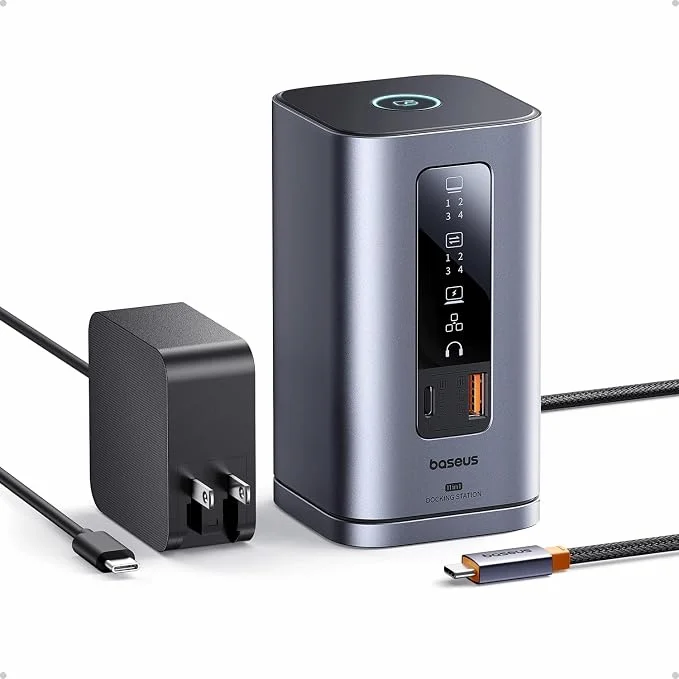
Baseus Spacemate Docking Station, 11-in-1 USB-C Dock for Windows — Triple Display, 4K HDMI & DP, 10Gbps, 100W PD
Price varies — check current price on Amazon →
- 11 ports — 2x HDMI, 2x DP, 3x USB 10Gbps, Ethernet, Audio
- Triple 4K display on Windows (dual 4K@60Hz recommended)
- 85W pass-through charging to laptop
- Vertical aluminum design with LED status display
- Mac: single external display only
2. Design & Build
The Baseus Spacemate stands out before you plug anything in. It’s a vertical, upright dock that takes up minimal desk space — about the size of a small coffee mug. The aluminum chassis feels premium and sturdy, and the magnetic base keeps it anchored to your desk. There’s also a sticky pad on the bottom for extra grip, though its adhesiveness can wear out after repeated repositioning.
The front panel has a real‑time LED display that shows which ports are active — a thoughtful touch that’s rare at this price point. Above it, a physical screen‑lock button triggers Windows+L, locking your computer instantly. It’s a small feature, but surprisingly useful in shared workspaces.
The built‑in 80cm USB‑C host cable is thick and durable, though the short length limits placement flexibility. The cable is non‑removable — a minor inconvenience if it ever frays, but it reduces clutter.
Verdict: The Baseus Spacemate is one of the best‑built USB‑C docks under $150. The vertical form factor, metal construction, and LED display make it feel more expensive than it is.
3. Display Output
Triple display on Windows is the headline feature. The Spacemate has two HDMI and two DisplayPort outputs — four video ports total, though the dock routes bandwidth across them depending on how many screens are connected.
Dual 4K@60Hz: Connect two monitors across any HDMI/DP combination and you get 4K at 60Hz per screen. This is the sweet spot for most users.
Triple 4K: Running three screens distributes the available USB‑C bandwidth across more outputs. At triple configuration, the refresh rate drops — 4K@30Hz per display is the realistic ceiling. For office work and productivity, 30Hz is tolerable. For video editing or fast-scrolling workflows, it will feel sluggish.
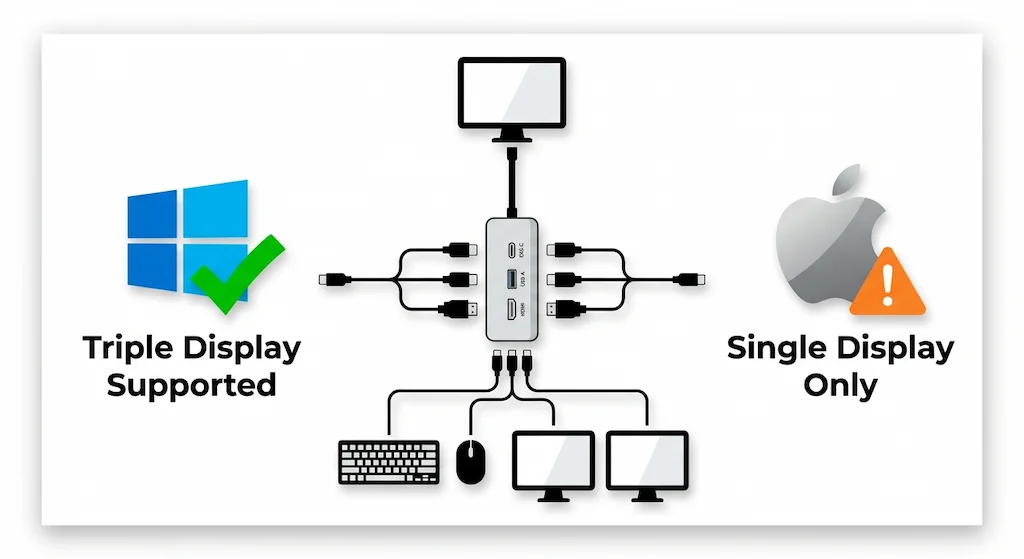
Windows users: Triple display works. Dual 4K@60Hz is the better daily-use configuration for most workflows.
Mac users: The Baseus Spacemate supports one external display on macOS — confirmed by Baseus on the product listing. This is not a dock defect. macOS does not support MST (the technology Windows uses to split video across multiple outputs over USB‑C), so only one connected monitor will extend your desktop. If you need dual or triple displays on a Mac, you need a Thunderbolt 4 dock or a DisplayLink dock.
4. 100W Power Delivery
The Baseus Spacemate accepts 100W USB‑C PD input and delivers up to 85W pass‑through charging to your laptop. A 100W adapter is included with the Amazon purchase.
85W is sufficient for most Windows laptops under load — Dell XPS, HP Spectre, Lenovo ThinkPad, and similar 13–16″ machines. For high-draw workstations running sustained CPU and GPU load simultaneously, 85W may not fully keep up — but that’s a trade‑off common across USB‑C docks at this price point.
Baseus recommends at least a 65W adapter for basic use and the included 100W adapter for full-load operation.
5. Data Transfer — 10Gbps
Three ports run at USB 3.2 Gen 2 (10Gbps): one USB‑C and two USB‑A. A separate USB‑A 2.0 port handles low-speed peripherals like keyboards and mice.
USB 3.2 Gen 2 has a 10Gbps rated ceiling. In practice, real-world throughput on these ports typically reaches 900–950 MB/s with a fast external SSD — the spec supports this ceiling without bottlenecking. The USB 2.0 port is clearly a different speed tier, which avoids accidentally plugging a drive into a slow port.
Not sure which dock fits your setup? Compare all 81 docking stations side by side — filter by connection type, displays, power delivery, and OS in our Docking Station Comparison Tool.
6. Ethernet & Audio
Gigabit Ethernet delivers stable wired networking for office work, video calls, and general use. GbE real-world throughput typically reaches 920–940 Mbps in optimal conditions — adequate for everything short of large NAS transfers.
The 3.5mm combo audio jack works reliably with headsets and speakers. No SD or microSD card reader — photographers will need a separate reader.
7. Who Should Buy It
Who It’s For
- ✅ Windows users who need dual or triple 4K displays without paying Thunderbolt prices.
- ✅ Budget buyers who want premium build quality, 10Gbps ports, and 85W charging for under $150.
- ✅ Anyone who values desk space — the vertical design saves significant real estate.
- ✅ Shared office workers who want a hardware screen-lock button for quick privacy.
8. Who Should NOT Buy It
Who It’s Not For
- ❌ Mac users — single external display only on macOS. Not a dock limitation to work around; it’s the protocol.
- ❌ Thunderbolt users who need PCIe tunneling, 40Gbps bandwidth, or guaranteed dual 4K@60Hz without compression.
- ❌ Creative professionals who need color-accurate displays, HDR passthrough, or DRM content on external monitors.
- ❌ Photographers or videographers who need an SD card reader.
- ❌ Laptops drawing more than 85W under sustained load.
9. Baseus Spacemate vs Alternatives
| Feature | Baseus Spacemate | UGREEN Revodok Max 213 | Plugable TBT4‑UDZ | CalDigit TS4 |
|---|---|---|---|---|
| Protocol | USB‑C | Thunderbolt 4 | Thunderbolt 4 | Thunderbolt 4 |
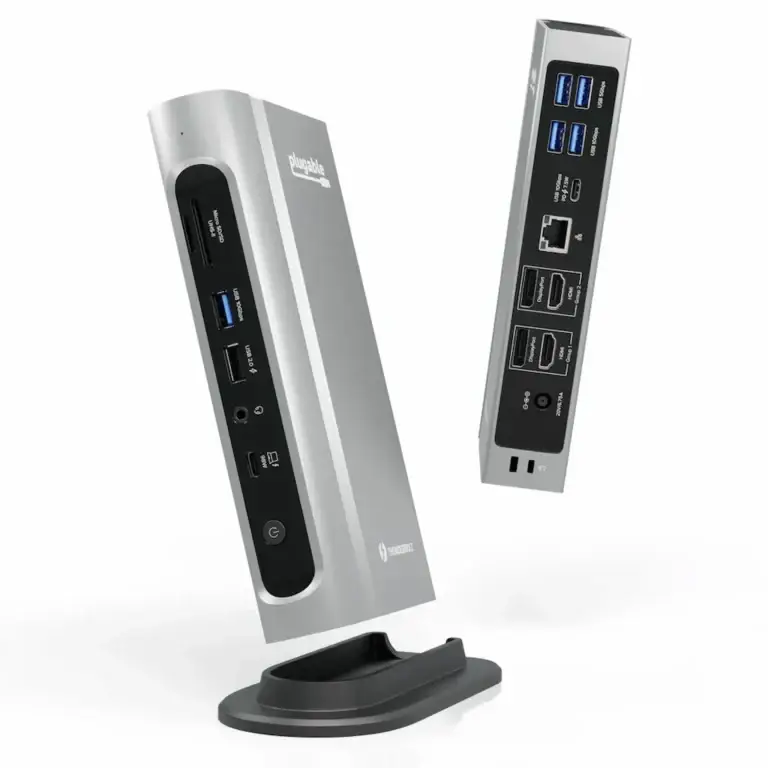
| Max Displays (Win) | Triple 4K@30Hz / Dual 4K@60Hz | Dual 4K@60Hz | Quad 4K@60Hz | Dual 6K@60Hz |
| Mac Display | Single only | Dual (Pro/Max chips) | Dual (M3/M4/M5) | Dual (all chips) |
| PD | 85W out | 90W | 100W | 98W |
| Ethernet | 1GbE | 2.5GbE | 2.5GbE | 2.5GbE |
| Ports | 11 | 13 | 16 | 18 |
| Price | ~$140 check price → | ~$200 check price → | ~$270 check price → | ~$380 check price → |
The Baseus Spacemate is a value play. It’s cheaper than every Thunderbolt 4 dock and offers triple display on Windows that TB4 docks can’t match — but the trade-off is 1GbE instead of 2.5GbE, USB-C bandwidth limits, and no Mac multi-display support.
10. FAQ

Alex Atkinson
Senior Technical Writer & Infrastructure Consultant
Alex has spent years diagnosing connectivity failures across corporate laptop fleets and mixed-vendor workstation deployments, with hands-on experience testing Thunderbolt docks across Mac and Windows environments.