Best Docking Station for MacBook Air (2026): 6 Tested Picks

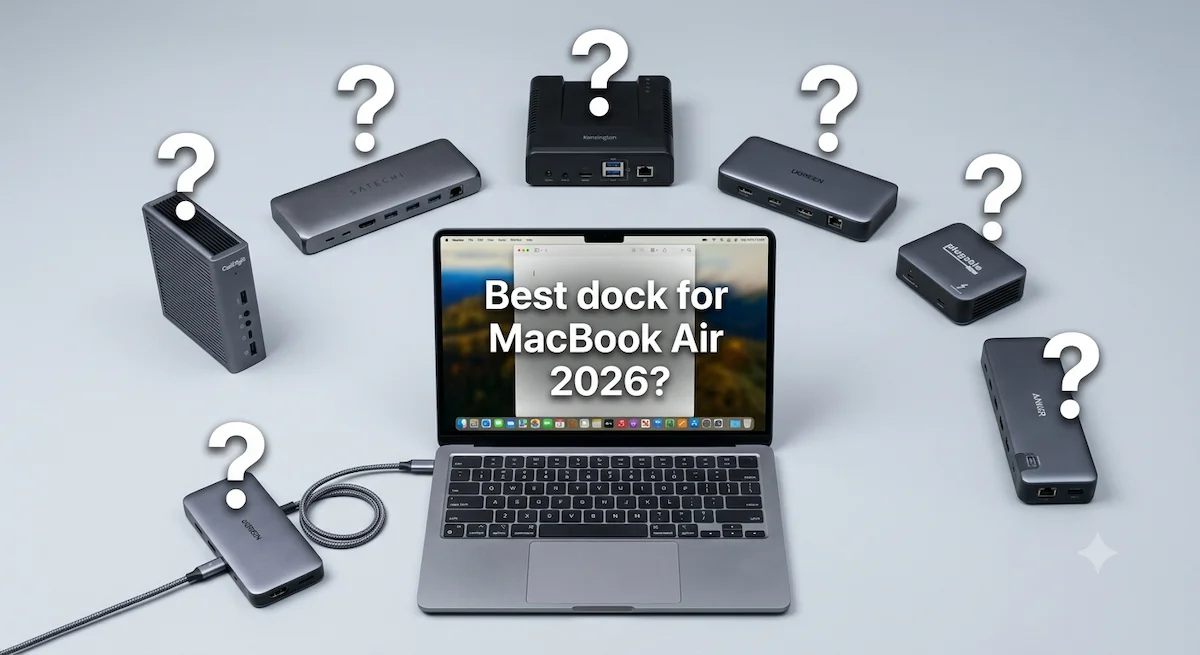
The best docking station for MacBook Air depends on your chip and your display needs. For M3 and M4 Airs that support two displays (with the lid closed), the CalDigit TS4 is the most reliable Thunderbolt 4 dock. For M1 and M2 Airs limited to one native display, a DisplayLink dock (like the Plugable UD-3900PDZ) is the only way to get dual monitors. For budget buyers, the UGREEN Revodok Max 213 offers solid TB4 performance at a lower price.
You bought a MacBook Air for its portability. Now you want to turn it into a proper workstation. You plug in a monitor, a keyboard, an external drive, maybe a second display. Everything works — until the second monitor stays black.
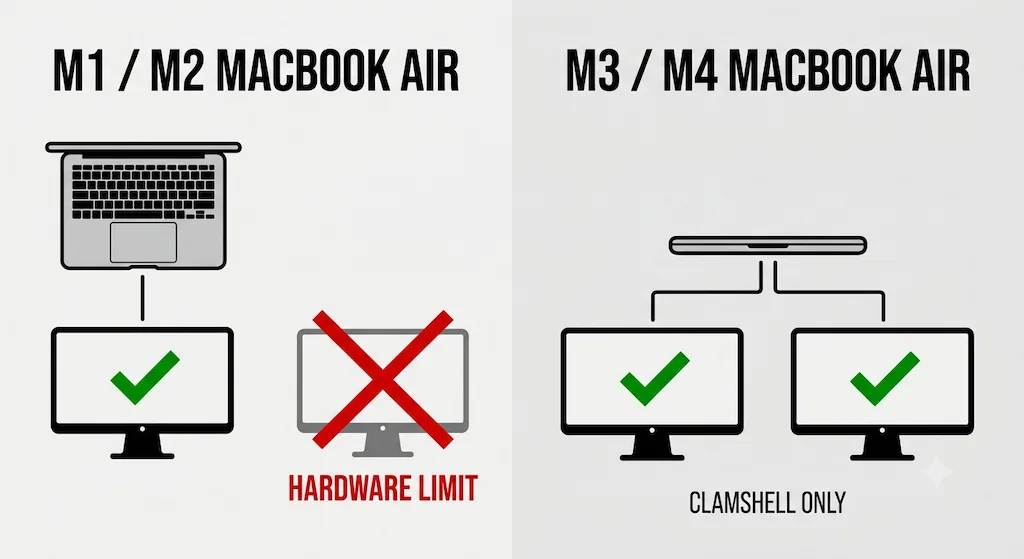
That’s the display limit trap. Apple doesn’t advertise it clearly, but your MacBook Air’s chip determines how many external displays it can drive. M1 and M2 Airs are hardware‑limited to one external display. M3 and M4 Airs support two external displays, but only when the lid is closed. No best docking station for MacBook Air can bypass these limits — they’re baked into the silicon.
This guide covers six docks that actually work with MacBook Air, how to choose based on your chip and display count, and what to do if you need dual monitors on an older Air. If you’re unsure about your chip’s limits, start with our <a href=”https://www.byrdpilot.com/docking-station/macbook-docking-station/”>MacBook Docking Station explainer</a>.
The MacBook Air Display Limit — Read This Before You Buy
Before you spend money on a best docking station for MacBook Air, check your chip. The display limit is the single most important factor.
| Chip | Native External Displays | Lid Requirement | Workaround |
|---|---|---|---|
| M1 Air | 1 max — hardware limit | N/A | DisplayLink dock for 2nd display |
| M2 Air | 1 max — hardware limit | N/A | DisplayLink dock for 2nd display |
| M3 Air | 2 max | Lid closed | Works with any TB4 dock |
| M4 Air | 2 max | Lid closed | Works with any TB4 dock |
For M1 and M2 Airs, DisplayLink is the only way to get dual external monitors. Understanding this limit prevents you from buying a best docking station for MacBook Air that can’t deliver what your chip can’t support.
How to Choose the Best Docking Station for MacBook Air?
Answer these three questions before reading the picks — the best docking station for MacBook Air is different for every setup. New to docks entirely? Start with <a href=”https://www.byrdpilot.com/docking-station/laptop-docking-stations-explained/”>Laptop Docking Stations Explained</a>.
1. Which chip does your MacBook Air have?
M1 or M2 → one native display only. If you need two monitors, buy a DisplayLink dock.
M3 or M4 → two native displays (lid closed). Any Thunderbolt 4 dock works.
2. How many displays do you need?
One display → any TB4 dock or USB‑C hub works.
Two displays → TB4 dock for M3/M4 (clamshell); DisplayLink dock for M1/M2.
Three+ displays → DisplayLink dock only.
3. What’s your budget?
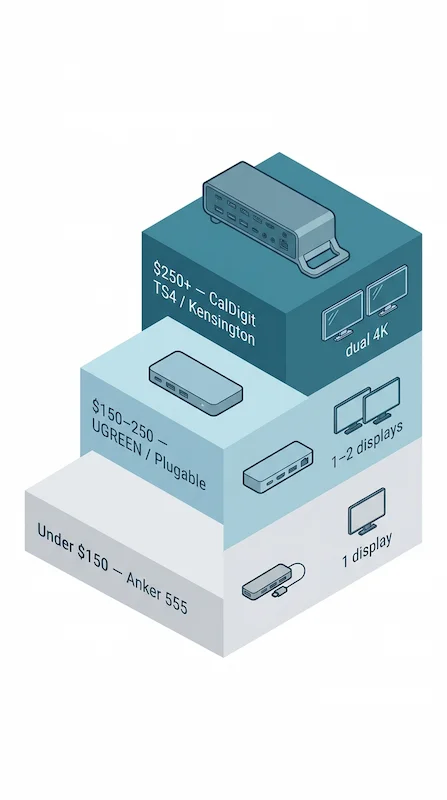
| Budget Tier | What You Get | Example |
|---|---|---|
| Under $150 | USB‑C hub, single 4K@60Hz, no TB4 | Anker 555 |
| $150–250 | Thunderbolt 4, dual 4K, 90W+ PD | UGREEN Revodok Max 213, Plugable TBT4‑UDZ |
| $250+ | Premium TB4, 98W+ PD, 18+ ports | CalDigit TS4, Kensington SD5780T |
The 6 Best Docking Stations for MacBook Air
These six docks are the best docking station for MacBook Air options across different budgets and use cases.
#1 CalDigit TS4 — Best Overall

Best for: MacBook Air M3/M4 users who want the most reliable Thunderbolt 4 dock.
Specs: 18 ports · 98W PD · 2.5GbE · Dual 6K@60Hz (M3/M4 clamshell) · Fanless
The CalDigit TS4 is the gold standard for Mac docks. It delivers 98W of power delivery — enough to keep your M3 or M4 MacBook Air charged even under heavy load. With 18 ports, including a front‑facing UHS‑II SD card slot and microSD slot, it’s built for creative workflows. On M3 and M4 MacBook Air in clamshell, the TS4 handles dual display output reliably. On M1 and M2 Air, it drives one external display. It’s expensive, but it’s a dock you buy once and keep through multiple laptops.
Verdict: The best docking station for MacBook Air if you can afford the premium.
Check Price →→ Already own a TS4 and running into issues? See our CalDigit TS4 troubleshooting guide.
#2 UGREEN Revodok Max 213 — Best Budget TB4
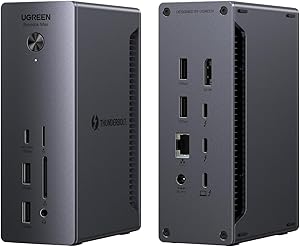
Best for: Budget‑conscious M3/M4 MacBook Air users who still need dual 4K in clamshell.
Specs: 13 ports · 90W PD · 2.5GbE · Dual 4K@60Hz · Thunderbolt 4
The UGREEN Revodok Max 213 is the cheapest Thunderbolt 4 dock worth buying. It delivers dual 4K@60Hz on M3/M4 MacBook Air in clamshell, 90W charging, and 2.5GbE Ethernet. On M1 and M2 Air, it drives one external display. The trade‑off: passive cooling means thermal throttling under sustained load — not an issue for most office work, but something to be aware of under heavy use.
Verdict: The best budget docking station for MacBook Air with TB4.
Check Price →#3 Kensington SD5780T — Best Enterprise
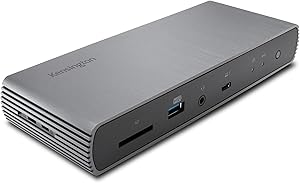
Best for: IT‑managed environments, hot‑desking, and 24/7 operation.
Specs: 11 ports · 96W PD · 2.5GbE · Dual 4K@60Hz (M3/M4 clamshell)
The Kensington SD5780T is built for reliability. On M3 and M4 MacBook Air in clamshell, it supports dual 4K@60Hz. On M1 and M2 Air, one external display. It’s TAA‑compliant for government and enterprise deployments and works with Thunderbolt 4, Thunderbolt 3, USB4, and USB‑C devices. The 96W PD keeps your MacBook Air charged, and the 2.5GbE Ethernet ensures fast wired networking. Strong detection reliability — one of the most stable docks in this list for day-to-day managed environments.
Verdict: The most reliable MacBook Air docking station for shared desks and enterprise fleets.
Check Price →Not sure which dock fits your setup? Compare all 81 docking stations side by side — filter by connection type, displays, power delivery, and OS in our Docking Station Comparison Tool.
#4 Plugable TBT4-UDZ — Best Compact / Travel
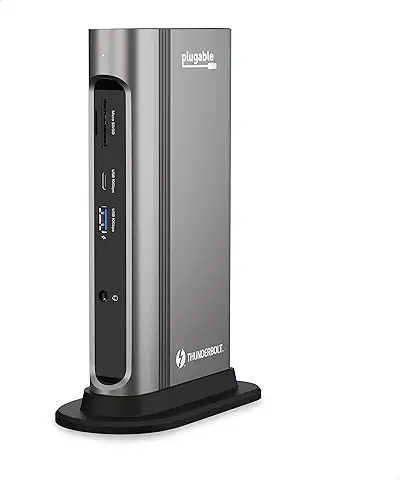
Best for: Travelers and hot‑deskers who want a compact TB4 dock with dual 4K on M3/M4 Air.
Specs: 16 ports · 100W PD · 2.5GbE · Dual 4K@60Hz (M3/M4 Air clamshell) · Thunderbolt 4
The Plugable TBT4-UDZ is Laptop Mag’s 2025 Dock of the Year. It packs 16 ports into a compact footprint — 2x HDMI, 2x DisplayPort, 100W charging, 2.5GbE Ethernet, 7 USB ports, SD/microSD, and audio. On M3 and M4 MacBook Air in clamshell, it delivers dual 4K@60Hz with no drivers required. On M1 and M2 Air, it drives one external display. Important: the TBT4-UDZ has no downstream Thunderbolt ports — no daisy chaining additional TB4 devices.
Verdict: The best compact docking station for MacBook Air — dual 4K on M3/M4 Air, portable without sacrificing Ethernet or charging speed.
Check Price →#5 Plugable UD-3900PDZ — Best for M1/M2 Dual Display
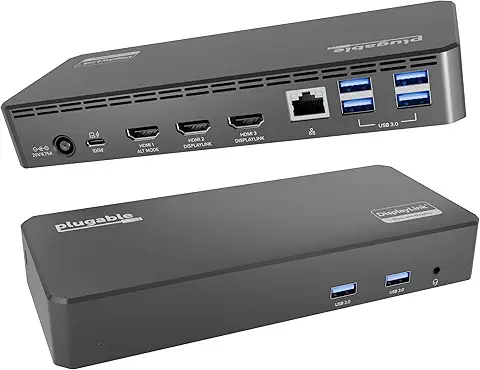
Best for: M1 and M2 MacBook Air users who need two external monitors.
Specs: 12 ports · 100W PD · 1GbE · 3x HDMI (4K@30Hz + 2x 1080p@60Hz via DisplayLink) · USB-C
M1 and M2 MacBook Airs are hardware-limited to one native external display. The only way to get two monitors is through a DisplayLink dock. The Plugable UD-3900PDZ delivers three HDMI outputs — HDMI 1 at 4K@30Hz via USB-C Alt Mode, HDMI 2 and 3 at 1080p@60Hz via DisplayLink. Confirmed compatible with M1 through M5. 100W charging, 1GbE Ethernet, and 6x USB-A round out the ports.
Three trade-offs to know before buying: HDMI 1 is 4K but only at 30Hz — not 60Hz. HDMI 2 and 3 max out at 1080p. DisplayLink requires driver installation on macOS plus Screen Recording permission — and blocks DRM content on Mac, meaning Netflix, Disney+, and Apple TV+ will not play on DisplayLink-connected monitors.
Verdict: The only pick in this list that gives M1/M2 MacBook Air users two or more external monitors — understand the trade-offs before buying.
Check Price →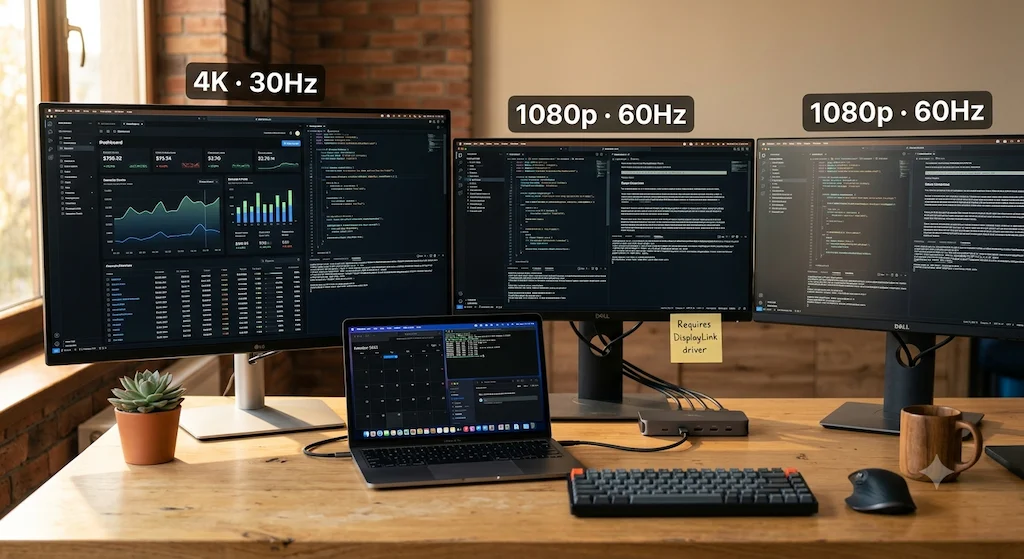
#6 Anker 555 USB-C Hub — Best Ultra-Budget
Best for: Students and casual users who need one external display and more ports.
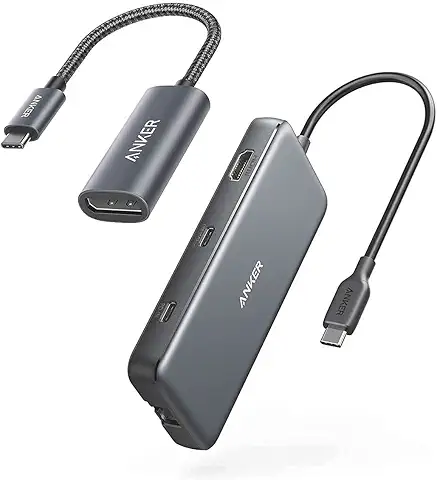
Specs: 8 ports · 85W PD · Gigabit Ethernet · Single 4K@60Hz · USB‑C
The Anker 555 is the best ultra‑budget option for MacBook Air users who only need one display. It’s an 8-in-1 hub with 10Gbps USB data, single 4K@60Hz HDMI, Gigabit Ethernet, SD and microSD card slots, and 85W pass-through charging — enough for MacBook Air’s 30–65W draw under load. It’s not Thunderbolt and won’t drive a second display. For a single-monitor desk setup on a tight budget, it does the job cleanly.
Verdict: The best cheap docking station for MacBook Air for single‑monitor setups — not for dual display.
Check Price →Comparison Table
| Dock | Protocol | Max Displays (Mac Air) | PD | Ethernet | Ports | Best For | Price |
|---|---|---|---|---|---|---|---|
| CalDigit TS4 | TB4 | Dual 6K (M3/M4 clamshell) / Single (M1/M2) | 98W | 2.5GbE | 18 | Best Overall | Check Price → |
| UGREEN Revodok Max 213 | TB4 | Dual 4K (M3/M4 clamshell) / Single (M1/M2) | 90W | 2.5GbE | 13 | Best Budget TB4 | Check Price → |
| Kensington SD5780T | TB4 | Dual 4K (M3/M4 clamshell) / Single (M1/M2) | 96W | 2.5GbE | 11 | Enterprise | Check Price → |
| Plugable TBT4-UDZ | TB4 | Dual 4K@60Hz (M3/M4 clamshell) / Single (M1/M2) | 100W | 2.5GbE | 16 | Compact / Travel | Check Price → |
| Plugable UD-3900PDZ | USB-C + DisplayLink | 4K@30Hz + 2x 1080p (all Macs M1–M5) | 100W | 1GbE | 12 | M1/M2 Dual Display | Check Price → |
| Anker 555 | USB-C | Single 4K@60Hz | 85W | 1GbE | 8 | Ultra-Budget | Check Price → |
Which Is the Best Docking Station for MacBook Air? — FAQ

Alex Atkinson
Senior Technical Writer & Infrastructure Consultant
Alex has spent years diagnosing connectivity failures across corporate laptop fleets and mixed-vendor workstation deployments, with hands-on experience testing Thunderbolt docks across Mac and Windows environments.