Anker 675 USB-C Docking Station Review: Is an All-in-One Docking Stand Worth it?

⚡ Quick Answer
Anker 675 USB-C Docking Station — Quick Verdict
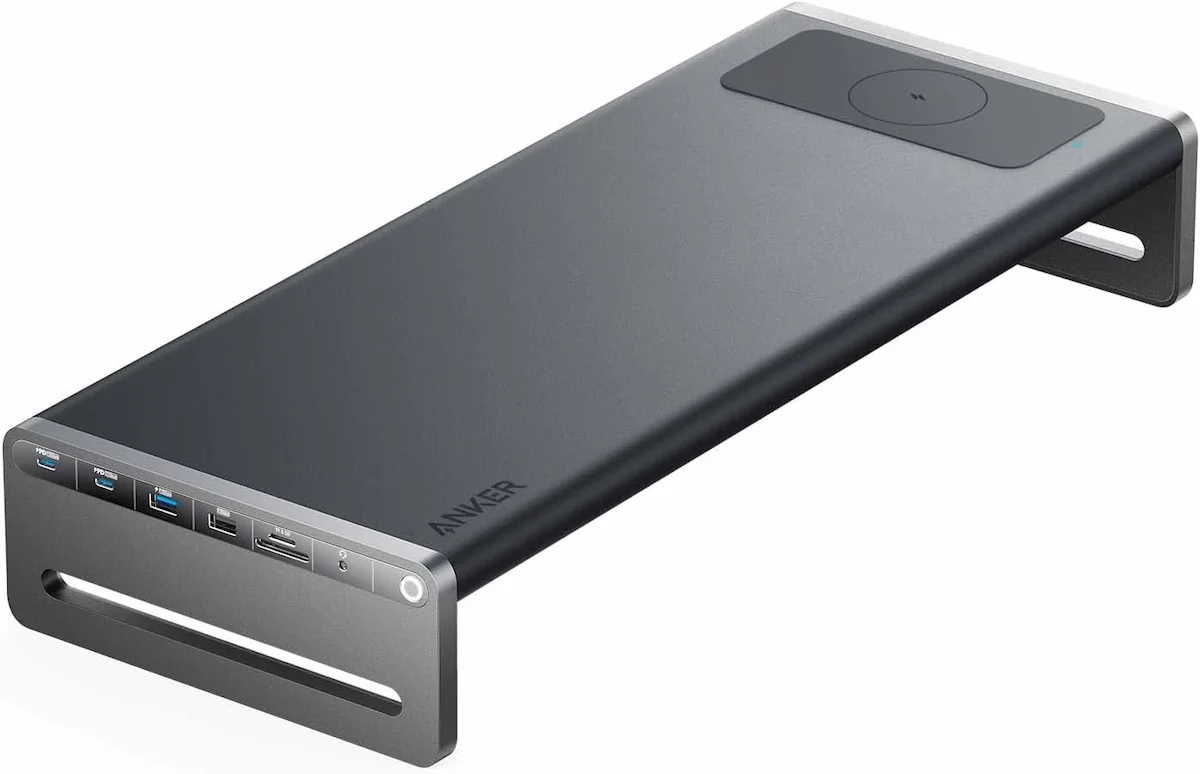
The Anker 675 USB-C docking station combines three desk essentials into one box: a 100W USB-C dock, a fixed-height aluminum monitor stand, and a Qi wireless charging pad. No separate stand to buy. No separate dock to cable. One USB-C cable to your laptop, one power cord, 12 ports. Listed at $249.99 — regularly found at ~$170 on sale. Rated 4.1/5 across 510 Amazon reviews.
- Best for: Home office setups where desk space is tight and cables are the enemy
- Best for: Single-monitor users who want one cable to connect everything
- Best for: Minimalist desks replacing a separate dock and monitor stand
- Skip if: You need dual monitors — the 675 outputs one display via HDMI 2.0 only
- Skip if: You have a Thunderbolt laptop — CalDigit TS4 gives you more bandwidth
Specs verified from Anker’s official documentation. Rating sourced from Amazon verified reviews (510 reviews, 4.1/5).
A docking station and a monitor stand are usually two separate purchases. Two boxes, two cables, two bills. The Anker 675 collapses both into one.
The Anker 675 USB-C docking station mounts your monitor, routes your cables through the stand, charges your laptop at 100W, and even tops off your phone on the Qi pad at the base. It’s a single box solution for a clean desk — no separate stand, no separate dock, no visible cables. The question: does combining two products into one save you money, or does it force compromises that make separate purchases the better call?
This Anker 675 review covers the specs, the cost breakdown, who this dock is actually for, and where it falls short.
Anker 675 Specs: Everything in One Box
| Spec | Anker 675 USB-C Docking Station |
|---|---|
| Protocol | USB-C (DisplayPort Alt Mode — no Thunderbolt) |
| Laptop Charging | 100W Power Delivery (upstream) |
| Monitor Stand Type | Fixed-height aluminum shelf with two rigid legs |
| Monitor Weight Limit | ≤ 22 lbs (10 kg) |
| Screen Size Range | Up to 24 inches |
| USB Ports | 5x 10Gbps ports (2x USB-C, 3x USB-A) |
| USB-C Power Delivery | Two USB-C ports sharing 45W for peripherals |
| Video Output | 1x HDMI 2.0 (4K@60Hz) — single display only |
| Ethernet | 1x Gigabit (1GbE) |
| Qi Wireless Charging | 10W (Samsung) / 7.5W (iPhone) |
| Audio | 3.5mm audio jack |
| Card Slots | SD + microSD |
| Dimensions | 21.26 x 8.66 x 3.54 inches |
| Weight | Approx. 3.66 lbs (1.66 kg) |
Display note: The Anker 675 supports one external monitor via HDMI at 4K@60Hz. The USB‑C ports do not carry video output. For dual‑display setups, this is not the right dock.
The Dock Lineup: Three Setups, Three Prices
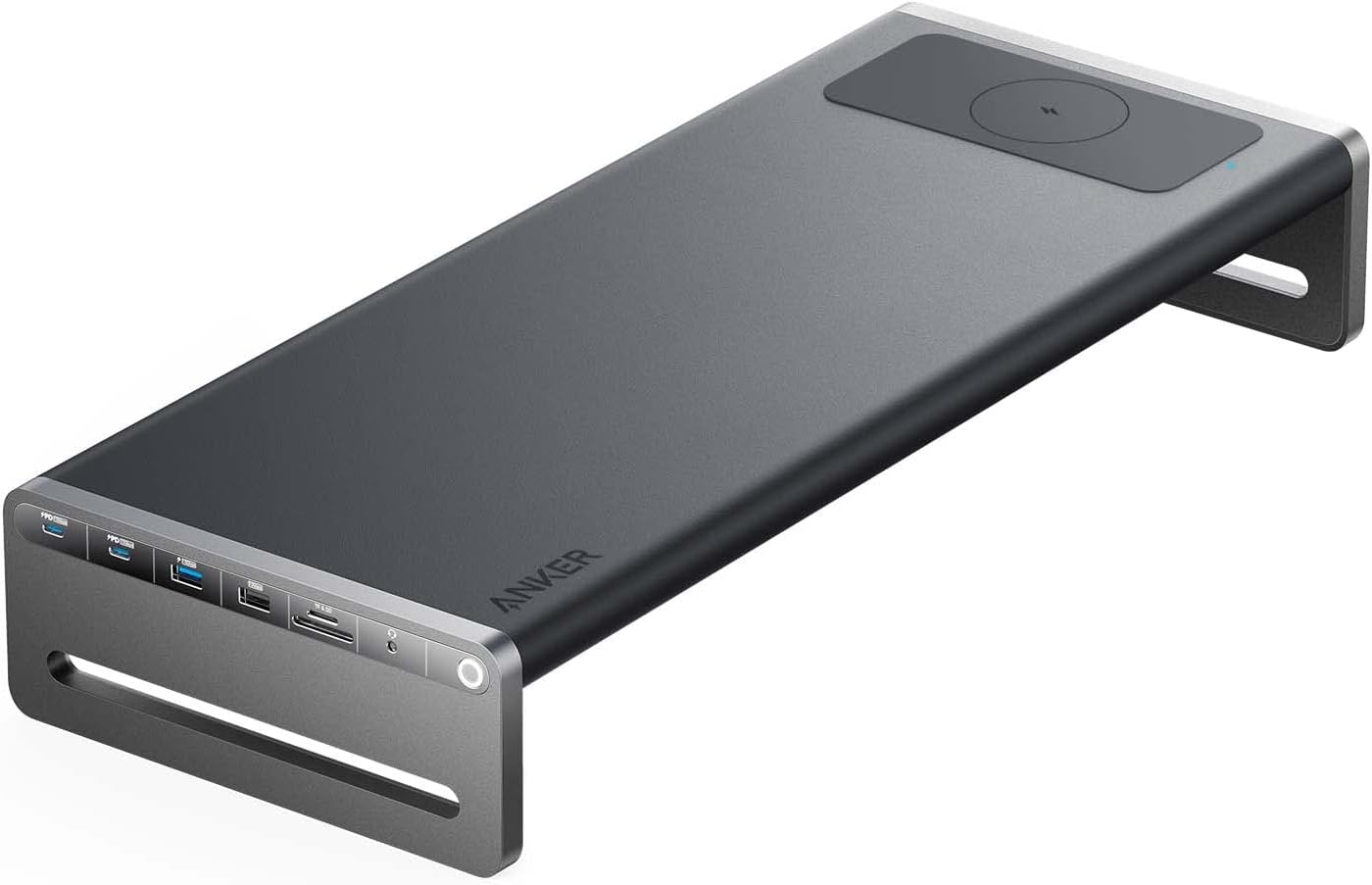
Anker 675 USB-C Docking Station
Anker · USB-C · All-in-One Desk Setup
✦ Best for: Minimalist home offices replacing a separate dock and monitor stand
Elevated aluminum monitor shelf with integrated cable management. One box, one USB-C cable — no separate dock or stand to buy. Includes 10W Qi wireless charging pad at the base.
available at amazon →Verdict: The only dock that also replaces your monitor stand. If you’re buying both anyway, this is the smarter single purchase.

CalDigit TS4
CalDigit · Thunderbolt 4 · 18 Ports · 2.5GbE
✦ Best for: Thunderbolt 4 laptops needing maximum ports, 2.5GbE, and dual display
18 ports, 2.5GbE Ethernet, 98W laptop charging, rock-solid across Mac and Windows. The benchmark Thunderbolt 4 dock — nothing beats it on connectivity.
available at amazon →Verdict: TB4 laptop and need the most capable dock on the market? This is it. USB-C only laptop? The 675 does the job at a lower cost.
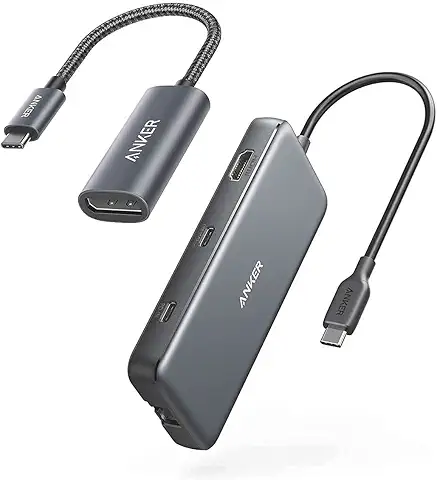
Anker 555 USB-C Docking Station
Anker · USB-C · Budget Travel Hub
✦ Best for: Travel and secondary desks — not a permanent desk replacement
Compact, portable, and cheap. Single 4K@60Hz via HDMI, 85W laptop charging, no monitor stand, no Qi. The right dock for a bag — not for a desk you’ll sit at every day.
available at amazon →Verdict: Different category from the 675 — this is a travel hub. If you want a permanent desk setup, the 675 is the smarter call.
One Box vs. Two Purchases: The Cost Breakdown
The core question: does the Anker 675 USB-C docking station save you money vs buying a dock and monitor stand separately? This is where we answer whether the anker 675 worth it for your specific setup.
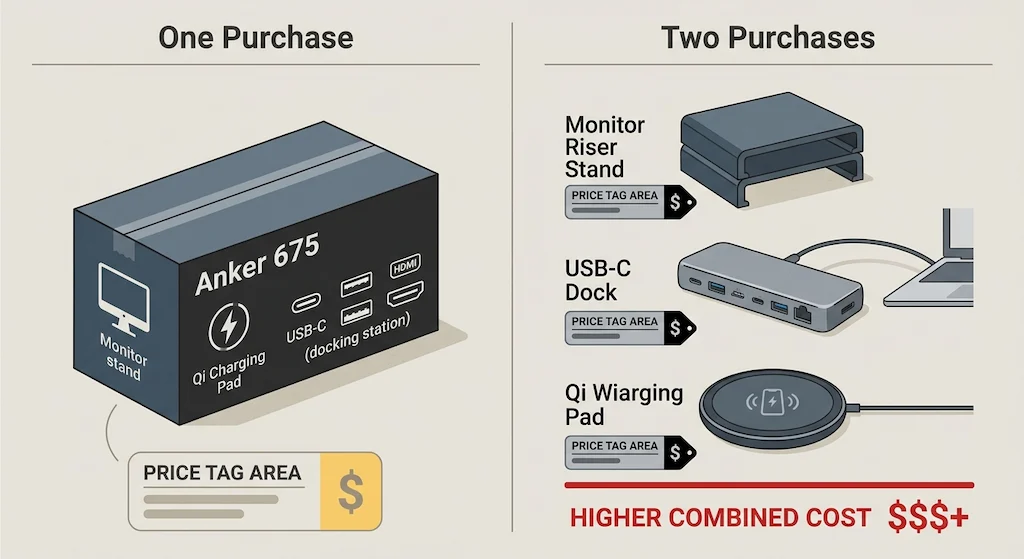
Price Comparison
Where the 675 Wins on Price
For a mid‑range dock ($120) and a decent stand ($50), you’re at $170 — right in the 675’s sale price bracket. You get the same functionality, zero cable clutter, and the Qi charger included. If you were already planning to buy both, the 675 is cost‑neutral or slightly cheaper, with better cable management. That’s what makes this docking station with monitor stand a compelling value.
Where Buying Separate Makes More Sense
- You already own a dock or a stand — don’t replace both.
- You need Thunderbolt bandwidth — the 675 is USB‑C, not Thunderbolt.
- Your monitor is over 22 lbs (10 kg) — the 675’s weight limit is lower than some standalone stands.
- You want a 27″+ monitor — the stand is designed for monitors up to 24 inches.
- You need dual monitors — the 675 only supports one external display.
- You want height‑adjustable stand — the 675 is fixed‑height.
For a full breakdown of Anker’s entire dock lineup, see our Best Anker Docking Station guide.
Not sure which dock fits your setup? Compare all 81 docking stations side by side — filter by connection type, displays, power delivery, and OS in our Docking Station Comparison Tool.
Real-World Performance
100W Power Delivery
The 675 delivers 100W pass‑through charging — enough for a 14″ MacBook Pro under load, a Dell XPS, or any modern ultrabook. It won’t keep a 16″ MacBook Pro at full charge under sustained CPU+GPU load (that needs 140W), but for most laptops, it’s sufficient.
Mac users have two variables to check before buying: chip generation and display count. Our Best Docking Station for MacBook Air covers the Air’s single-display constraint and the best dock for each budget. If you’re on a MacBook Pro, our Best Docking Station for MacBook Pro breaks it down by chip — M3 Pro through M4 Max.
Display Output
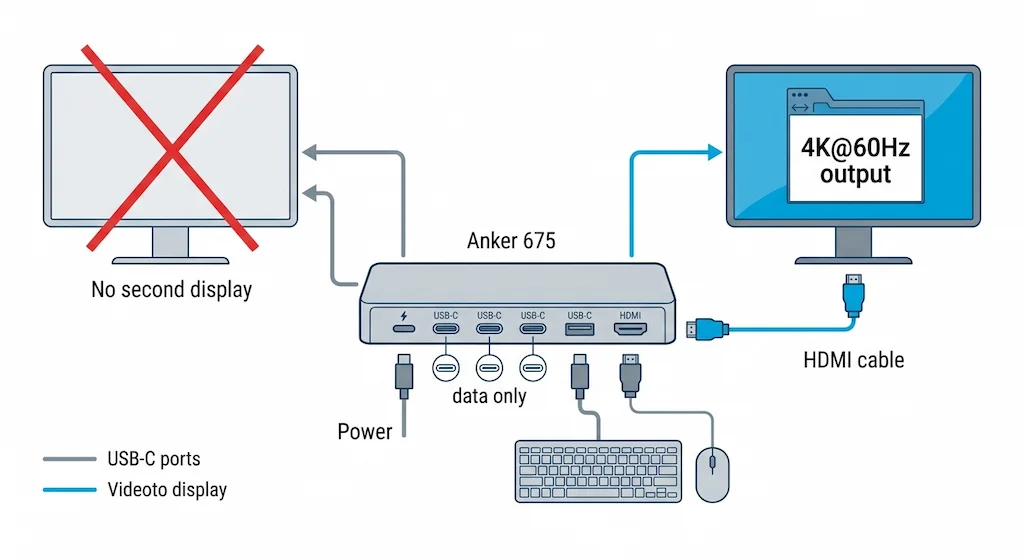
Single 4K@60Hz via HDMI. The USB‑C ports do not carry video output. If you need dual monitors or DisplayPort output, this is not the dock for you.
If single-display is a hard limit for your workflow, the bottleneck is usually the dock’s protocol — not the monitor count. Our Docking Station for Dual Monitors guide covers exactly which docks handle dual 4K on Windows and why USB-C topology limits what’s possible.
Qi Wireless Charging Speed
10W Qi charging for Samsung devices, 7.5W for iPhones. Works with phones, earbuds, and other Qi‑compatible devices. It’s not MagSafe speed, but it’s enough to keep your phone topped up during the workday.
USB and Ethernet Speeds
Five 10Gbps USB ports (two USB‑C, three USB‑A) — all at full speed. Two USB‑C ports share 45W for charging peripherals. Ethernet is Gigabit, not 2.5GbE.
Monitor Stand: Stability, Weight Limit
The fixed‑height aluminum shelf supports up to 22 lbs (10 kg) and fits monitors up to 24 inches. It’s stable and well‑built. Cable management channels run under the stand — no visible cables. The stand is not height‑adjustable and not VESA‑mountable — the monitor sits directly on the shelf.
Who the Anker 675 Is Built For

The Anker 675 isn’t a dock for everyone — it’s built for a specific kind of desk setup. If any of these sound like you, it’s the right call.
The Minimalist Desk Builder
You want one box, one cable, one clean desk. The Anker 675 USB-C docking station is exactly that — no separate stand, no separate dock, no visible cables. Place your monitor on the shelf, plug one cable into your laptop, done.
The Home Office Upgrader Coming From a Basic Dock
You have a basic dock and a monitor on its stand. You want a cleaner desk and one‑cable convenience. The 675 replaces both in one purchase — and adds Qi charging.
The Remote Worker Who Moves Between Desks
The stand is compact. The dock is integrated. One box to move, one cable to plug in. If you work from different locations and want a consistent setup, the 675 is portable enough.
Skip if:
Thunderbolt laptop → CalDigit TS4.
Need dual monitors → not the right dock.
Monitor >24″ or >22 lbs → standalone stand is better.
Need height adjustment → fixed stand won’t work.
Anker 675 vs Anker 555: Same Brand, Two Different Jobs
| Feature | Anker 675 | Anker 555 |
|---|---|---|
| Protocol | USB-C (DP Alt Mode) | USB-C (DP Alt Mode) |
| Power Delivery | 100W ✅ | 85W |
| Video Output | 1x HDMI (4K@60Hz) | 1x HDMI (4K@60Hz) |
| USB Ports | 5x 10Gbps (2 USB-C, 3 USB-A) ✅ | 2x 10Gbps, 2x 5Gbps |
| Ethernet | 1GbE | 1GbE |
| Monitor Stand | Included ✅ | No |
| Qi Charging | 10W ✅ | No |
| Cable Management | Integrated under shelf ✅ | None |
Verdict: The 675 is a desk dock. The 555 is a travel hub. They’re not alternatives — they’re different product categories.
Anker 675 vs CalDigit TS4: When USB-C Isn’t Enough
| Feature | Anker 675 | CalDigit TS4 |
|---|---|---|
| Protocol | USB-C | Thunderbolt 4 ✅ |
| Bandwidth | USB-C speeds | 40Gbps guaranteed ✅ |
| Displays | Single 4K@60Hz | Dual 6K@60Hz ✅ |
| Ethernet | 1GbE | 2.5GbE ✅ |
| Ports | 12 ports (dock + stand) | 18 ports (dock only) ✅ |
| Monitor Stand | Included ✅ | No |
Verdict: If your laptop has Thunderbolt 4, buy the CalDigit TS4 — it’s the better dock. If you have a USB‑C laptop and want a clean desk, the 675 is the better integrated solution. For a complete comparison of Thunderbolt docks, see our Best Docking Station guide.

Alex
Staff Writer
Alex covers docking stations, USB-C connectivity, and laptop peripherals at Byrdpilot. He’s hands-on tested dozens of docks across Windows and Mac and focuses on helping readers cut through spec noise to find hardware that actually works at their desk.
Sources & References
- Anker official product page — 100W PD, 12-in-1, monitor stand, Qi charging, cable management: https://www.anker.com/products/a8377
- Anker service page — full port list, HDMI 2.0, 10Gbps USB ports, weight specs: service.anker.com — Anker 675 Introduction
Related Posts
UGREEN Maxidok Review: Thunderbolt 5 Dock with Built-In SSD Storage (2026)
⚡ Quick Answer The UGREEN Maxidok is a Thunderbolt 5 docking station with a built-in M.2 NVMe SSD slot, 140W laptop charging, and 17 ports in a compact cube chassis. Protocol: Thunderbolt 5 — 80Gbps standard, 120Gbps Boost Mode Storage: Built-in PCIe 4.0 x4 M.2 slot, up to 8TB (NVMe only) Charging: 140W to the…
Thunderbolt Bridge Not Connected: How to Fix It (Mac & Windows)
⚡ Quick Answer — Thunderbolt Bridge Not Connected Thunderbolt Bridge is a direct Mac‑to‑Mac (or Mac‑to‑Windows) network connection over a Thunderbolt cable. “Not Connected” means the cable isn’t detected, the network interface is disabled, or the driver is missing. The fix: connect a certified Thunderbolt 3/4 cable (⚡ logo), wait 10 seconds, then go to…
Anker 777 Thunderbolt Dock Not Working? (Fixes for Displays, Charging & Sleep Issues)
⚡ Quick Answer — Anker 777 Not Working The Anker 777 Thunderbolt 4 dock is discontinued as of 2026 — but units still circulate and the fixes below apply. Most problems trace to three causes: sleep/wake handshake failures, cable quality, and power adapter wattage. A full cold boot reset resolves the majority of cases without…
MacBook Docking Station: What Apple Doesn’t Tell You
⚡ Quick Answer — MacBook Docking Station The best macbook docking station depends entirely on your chip. Base M1 and M2 MacBook Air are hardware-limited to one external display — no dock changes that. M3 MacBook Air supports one display with the lid open, and two displays in clamshell mode. M1 Pro through M4 Max…
Dell Docking Station Drivers: Download, Install & Fix Guide (All Models, 2026)
Dell docking station drivers are not one-size-fits-all. Thunderbolt docks need a Thunderbolt controller driver, Intel UHD Graphics driver (Dell version), Realtek Ethernet driver (2.1.5.5 minimum), and Dell Dock Manager. USB‑C docks (D6000) need only the DisplayLink driver. The install sequence matters more than the drivers themselves: laptop BIOS first, then laptop Thunderbolt firmware, then Intel…
Razer Thunderbolt 5 Dock Chroma Problems: Architecture, Limits & Real-World Stability (2026)
The Razer Thunderbolt 5 Dock Chroma is a next-generation 11-port docking station – and one of the most searched for problems in the TB5 category right now pushing 120Gbps bandwidth, 140W charging, and a built-in M.2 SSD slot. But higher throughput introduces thermal density, firmware complexity, and new failure risks. For most users, Thunderbolt 4…