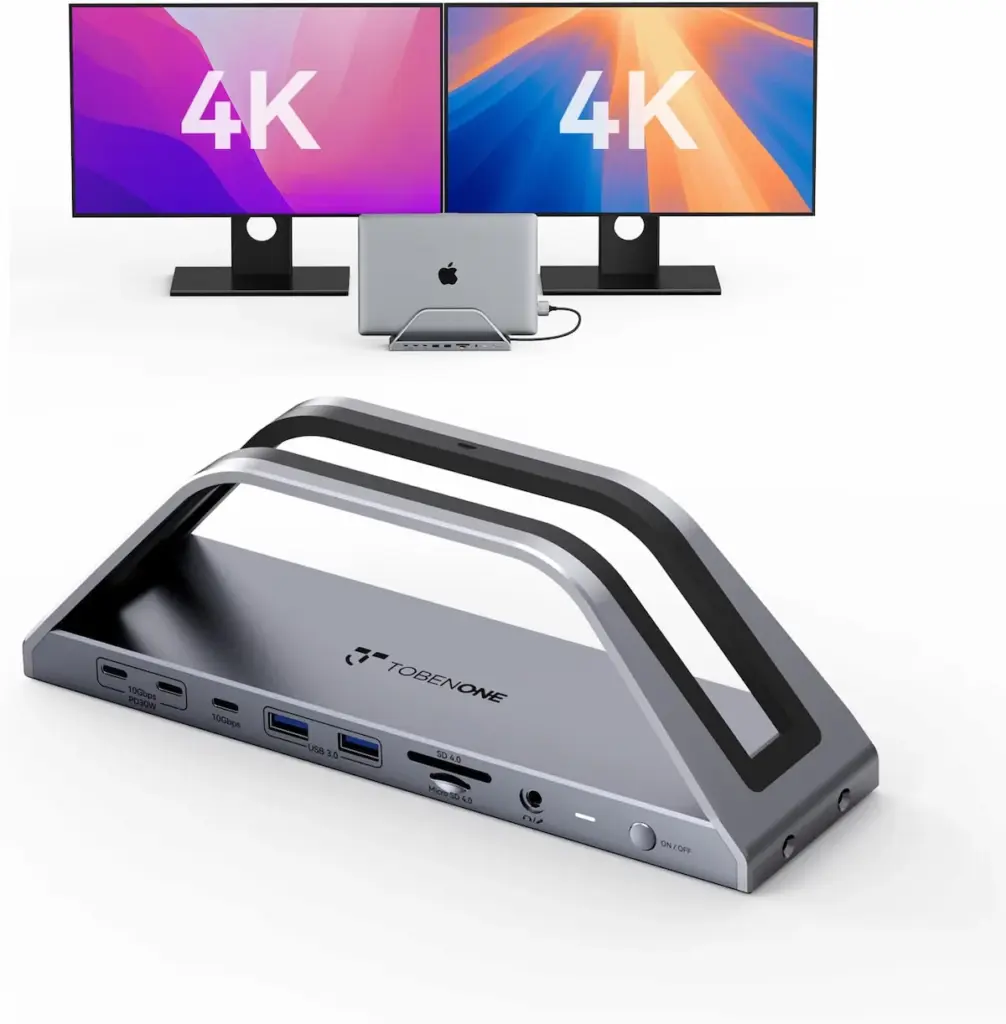
The TobenONE MacBook docking station is a 17-in-2 USB-C (UDS020M) dock built specifically for MacBook: dual 4K@60Hz displays over HDMI, a 150W included adapter, two dedicated 30W PD ports for phone and tablet charging, 2.5Gbps Ethernet, and an SD/MicroSD 4.0 card reader. It’s MacBook-only — the listing states directly it doesn’t work with Windows, ChromeOS, or any desktop Mac. The one nuance worth knowing before you buy: per TobenONE’s own official page, base M1, M2, and M3 MacBooks are limited to one external display — no lid-closed exception, despite what this dock’s own Amazon listing claims elsewhere
Check Price on Amazon →This article was created as part of the Amazon Creator Connections program. As an Amazon Associate, we earn from qualifying purchases.
1. TobenONE MacBook Docking Station SPECS AT A GLANCE
| Spec | Value |
|---|---|
| Display output | 2× HDMI, dual 4K@60Hz over DP1.4 |
| Power adapter | 150W, included |
| Phone/tablet charging | 2× dedicated 30W PD ports |
| USB ports | Listing conflict — spec field says 6, item bullet says “7 USB-C/A (up to 10Gbps)” |
| USB types | USB 2.0 Type-A, USB 3.0 Type-A, USB 3.1 Type-C |
| Ethernet | 2.5Gbps |
| Card reader | SD/MicroSD 4.0, 312MB/s simultaneous read/write per listing |
| Audio | 3.5mm |
| Total ports (marketing count) | 17 |
Dimensions: 9.09″L × 3.15″W × 2.56″H.
Listing warns the MacBook slot is ~0.8″ wide — a case may not fit.
Material: (not mentioned)

2. DISPLAY OUTPUT — WHAT “DUAL 4K@60HZ” ACTUALLY REQUIRES
Two HDMI ports, two independent 4K@60Hz signals over DP1.4 — native DisplayPort, not an MST hub splitting one signal into two. On a Mac that matters, since macOS doesn’t support MST-extend.
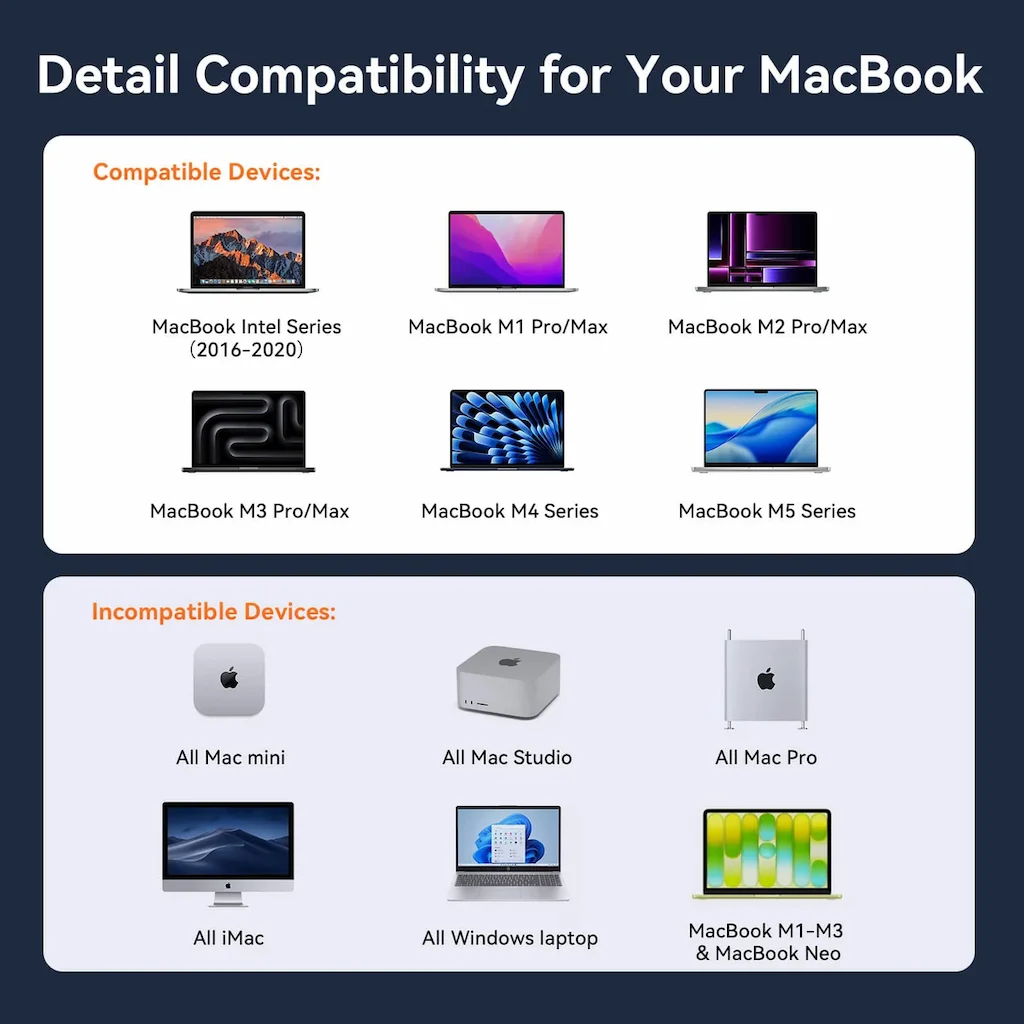
TobenONE’s own product page is explicit, stated twice: ‘M1/M2/M3 MacBook and MacBook Neo Users Only can get one external monitor,’ naming M3 Air and Pro models directly — no lid-closed exception anywhere on the page.
Worth flagging: this dock’s own Amazon listing says the opposite for M3 — ‘supports two external monitors only when the lid is closed.’ Two TobenONE sales channels for the same product disagree with each other. We’re going with the manufacturer’s own site as the more authoritative, more conservative source: base M1, M2, and M3 = one display, full stop.
Also stated directly: “NOT compatible with Windows, Chrome OS, Studio Display, Mac Studio, Mac mini, Mac Pro, or iMac.”
3. POWER DELIVERY — WHAT 150W ACTUALLY COVERS
150W adapter confirmed. Up to 100W goes to the MacBook, plus two 30W PD ports for phone/tablet. Add it up: 160W combined draw against a 150W-rated adapter — a real 10W overcommit if every port maxed out simultaneously, though dynamic power management across ports typically prevents that in practice. Worth knowing, not worth panicking over.
Not sure which dock fits your setup? Compare all 81 docking stations side by side — filter by connection type, displays, power delivery, and OS in our Docking Station Comparison Tool.
4. DATA, ETHERNET, AND CARD READER
2.5Gbps Ethernet, SD/MicroSD 4.0 at a claimed 312MB/s simultaneous read/write. Port count is genuinely disputed on the listing itself — 7 per the marketing bullet, 6 per the structured spec field. Shared bandwidth across one controller applies here like any dock in this class.
5. WHAT REAL OWNERS REPORT
55 ratings, 4.3 stars: 73% five-star, 8% four-star, 4% three-star, 6% two-star, 9% one-star. Amazon’s synthesis: well-made, easy to set up, saves desk space — and a real flagged concern, stability, “with one customer noting it might tip over.” One customer video is titled “TobenONE UDS020M. This Docking Station is Awesome” — a different model number than anything on this listing, flagged rather than treated as confirmation of anything. No independent Reddit/failure evidence found beyond Amazon’s own data.
6. WHO SHOULD BUY IT
Who It’s For
- ✅ A single MacBook on a single desk that wants one 150W cable instead of a pile of adapters.
- ✅ MacBook Pro owners on a Pro/Max chip (M1 through M5), or base M4/M5 MacBook Air/Pro owners — per TobenONE’s own page, base M1, M2, and M3 are limited to a single external display on this dock.
- ✅ Anyone who wants 2.5Gbps Ethernet and a fast SD/MicroSD reader without paying Thunderbolt prices.
If that’s your setup: Check Price on Amazon →
7. Who Should NOT Buy It
Who Should Skip It
- ❌ Windows or ChromeOS laptops — explicitly not compatible, stated directly on the listing.
- ❌ Mac mini, Mac Studio, Mac Pro, or iMac owners — every desktop Mac is explicitly excluded.
- ❌ Anyone running an Apple Studio Display — also explicitly excluded.
- ❌ Base M1, M2, or M3 MacBook owners who need two displays under any condition — TobenONE’s own page confirms this dock limits all three to a single external display.
- ❌ Anyone keeping their MacBook in a protective case — the dock’s slot is roughly 0.8″ wide and is sized for a bare MacBook.
8. TOBENONE MACBOOK DOCKING STATION VS. ALTERNATIVES
| Feature | TobenONE (17-in-2) | TobenONE (18-in-2) | Anker Nano A83C3 |
|---|---|---|---|
| Protocol | USB‑C | USB‑C | USB‑C |
| Mac Display Support | Base M1/M2/M3: single display only, no lid exception (per TobenONE’s own site — their Amazon listing conflicts) / Base M4/M5: dual / Pro/Max any generation: full support | Same MacBook-only rules per TobenONE’s listing | Mirrored only — no extended desktop on Mac |
| Power Delivery | 150W adapter, 100W to laptop | 150W adapter | 100W to laptop, 140W adapter included |
| USB Ports | 6–7 (listing self-conflict) | 7 | 13 total ports (video + data) |
| Design | Rectangular stand, 9.09″×3.15″×2.56″ | Compact flat square, 5.91″×5.91″×1.02″ | Detachable 2-in-1 — dock + portable hub |
| Rating | 4.3/5 (55 ratings) | 4.5/5 (44 ratings) | — |
| Best For | One MacBook, higher power budget | Smaller footprint, no port-count conflict | Travel — hub detaches, Mac limited to mirrored |
| Price | check price → | check price → | check price → |
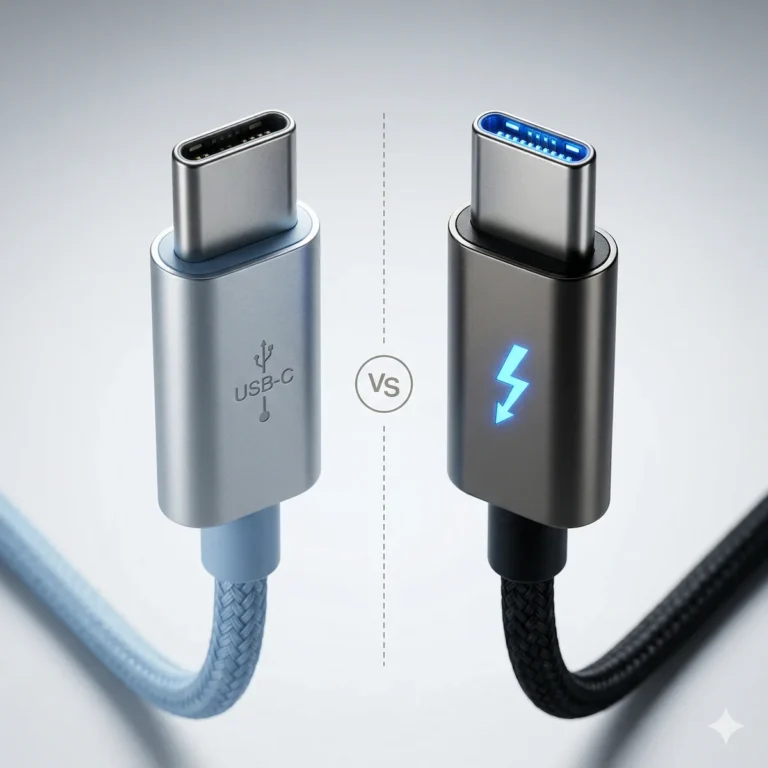
All three are USB-C, not Thunderbolt — fine for a single MacBook, but worth knowing what that trade costs if a Windows machine or a second computer ever enters the picture. Our Thunderbolt vs. USB-C docking station guide breaks down what you’d be giving up.
9. FAQ

Alex Atkinson
Hardware Analyst, Docking Station Specialist
Alex tracks Mac docking station compatibility across Apple Silicon generations and cross-checks vendor listing claims against Apple’s own published display specs before they go in a review — the kind of verification that catches conflicts most spec-sheet roundups miss.