
ByrdPilot is a technical problem-solving publication focused on diagnosing and resolving real-world hardware failures — not reviewing specs, chasing launch news, or promoting products.
We specialize in systems that fail after setup, not during unboxing.
Our core coverage areas include:
- Docking stations (USB-C, USB4, Thunderbolt 3 & 4)
- External monitor detection and display signal failures
- Multi-monitor and daisy-chaining configurations
- Power delivery, charging, and sleep/wake instability
- NAS device reliability, storage degradation, and recovery scenarios
ByrdPilot exists for users who already tried “basic troubleshooting” — and still have a broken setup.
Why ByrdPilot Exists
Most technology content explains how products are supposed to work.
Very little explains how and why they fail once deployed in real environments.
ByrdPilot was created after repeated exposure to the same pattern:
- Docking stations that work for weeks, then silently degrade
- External monitors that disappear after OS or firmware updates
- Thunderbolt setups that break after sleep, not under load
- NAS systems that pass benchmarks but fail during rebuilds
- “Compatible” hardware that collapses under specific protocol interactions
These failures don’t show up in launch reviews or spec comparisons.
They appear months later, under real workloads, in mixed hardware environments.
ByrdPilot documents those failure modes — and the paths to recovery.
Our Editorial Philosophy
We do not ask:
“What does this product advertise?”
We ask:
“Where does this system break, under what conditions, and why?”
Every ByrdPilot guide is structured around failure analysis, not feature promotion.
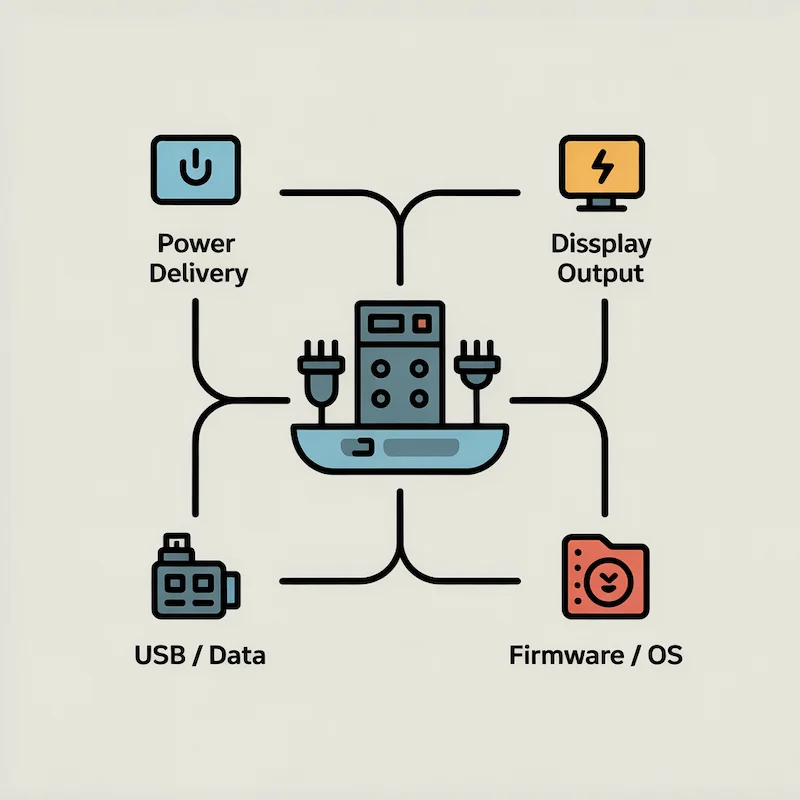
That means:
- Mapping protocol layers (GPU → controller → dock → cable → endpoint)
- Identifying negotiation points (power delivery, display handshakes, bandwidth allocation)
- Separating hardware defects from firmware and driver conflicts
- Documenting OS-specific limitations instead of ignoring them
- Explaining why a fix works, not just listing steps
Our goal is not to sell hardware.
Our goal is to remove uncertainty when something stops working.in, it is stated clearly.
What ByrdPilot Covers (Topical Scope)
ByrdPilot focuses narrowly and deliberately on the following domains:
Docking Stations
- USB-C, USB4, Thunderbolt 3/4 docks
- Charging failures and power negotiation mismatches
- Monitor detection and signal routing issues
- Ethernet, USB, and audio instability
- Thermal throttling and long-term degradation
Display & Connectivity
- HDMI vs DisplayPort vs USB-C failure modes
- DisplayPort MST and daisy-chain limitations
- Windows vs macOS display stack behavior
- Sleep/wake display failures
- Bandwidth saturation scenarios
NAS & Storage Systems
- NAS device reliability and failure patterns
- RAID rebuild risks and disk incompatibilities
- Performance degradation over time
- Firmware-related data loss scenarios
- Recovery and prevention strategies
We intentionally avoid:
- General tech news
- Opinion-only content
- Spec-sheet rewrites
- “Top 10” lists without diagnostic value
How Our Content Is Created
Every ByrdPilot article follows a structured diagnostic methodology.
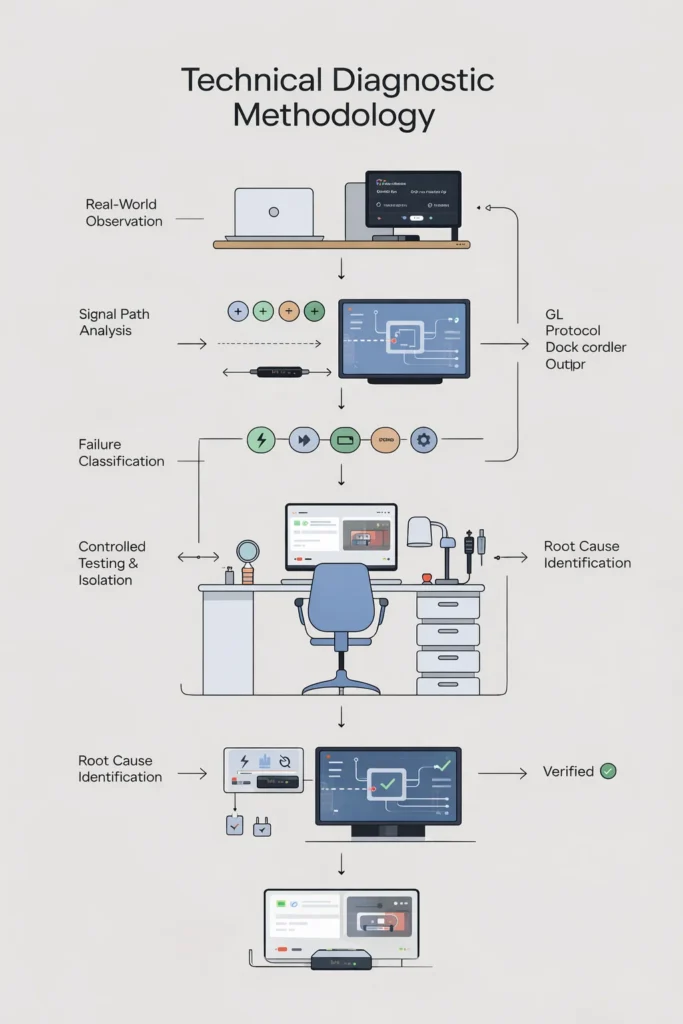
1. Failure Collection
We analyze recurring problems reported across:
- Professional deployments
- Manufacturer support documentation
- Technical forums and long-term user reports
- Real client environments
2. Protocol & System Analysis
We identify where failures occur:
- Electrical (power delivery)
- Logical (driver and firmware)
- Protocol-level (USB-C, Thunderbolt, DisplayPort, MST)
- OS-level (Windows vs macOS differences)
3. Isolation & Reproduction
Where possible, failures are isolated by:
- Removing variables (cables, ports, peripherals)
- Reproducing behavior across systems
- Verifying whether issues are systemic or situational
4. Root-Cause Classification
We distinguish between:
- Hardware defects
- Firmware limitations
- Driver conflicts
- OS design constraints
- User-environment interactions
5. Actionable Resolution
Fixes are presented in diagnostic order, prioritizing:
- Non-destructive steps
- Configuration changes before replacement
- Understanding over guesswork
This process is why ByrdPilot guides are long — and why they work.
Monetization & Editorial Independence
ByrdPilot is reader-supported.
Some articles include affiliate links to relevant hardware. These links:
- Do not influence editorial conclusions
- Do not alter technical analysis
- Do not guarantee positive coverage
We do not accept:
- Sponsored fixes
- Paid placements
- Compensation for favorable reviews
If a product fails under real conditions, we document it — regardless of brand.
Trust is the foundation of diagnostic content. Without it, the guide is useless.
Our Contributors
ByrdPilot content is written by specialists with direct experience in the systems they cover.
Alex — Docking Stations & Connectivity
Role: Systems Architect & Infrastructure Consultant
Specialty: Docking stations, Thunderbolt, USB-C, power delivery, display stability
Alex has over a decade of experience designing and supporting workstation infrastructure for professional environments, including finance, architecture, and media production.
His work focuses on diagnosing post-deployment failures — where systems technically “work” but fail under real workloads, OS updates, or long-term use.
At ByrdPilot, Alex authors:
- Docking station troubleshooting guides
- Thunderbolt vs USB-C failure analyses
- Power delivery and charging diagnostics
- Comparative stability breakdowns
Hans — Display Protocols & Daisy Chaining
Role: Display Protocol Specialist
Specialty: DisplayPort, MST, daisy chaining, multi-monitor systems
Hans specializes in display topology and protocol behavior, particularly where multi-monitor setups fail despite apparent compatibility.
His expertise covers:
- DisplayPort MST limitations
- OS-specific display handling
- Thunderbolt display routing
- Daisy-chain instability and bandwidth constraints
At ByrdPilot, Hans authors:
- Daisy-chaining diagnostic guides
- Windows vs macOS display behavior analysis
- Multi-monitor failure mode documentation
Yamato — NAS & Storage Systems
Role: Storage Systems Engineer
Specialty: NAS devices, RAID, data integrity, recovery
Yamato focuses on NAS reliability and long-term storage behavior beyond synthetic benchmarks.
His work addresses:
- Disk compatibility failures
- RAID rebuild risks
- Firmware-related data corruption
- Performance decay over time
- Recovery and prevention strategies
At ByrdPilot, Yamato authors:
- NAS failure-mode guides
- Storage reliability analyses
- Data protection and recovery content
Corrections, Updates & Accountability
ByrdPilot welcomes technical corrections and case reports.
When errors are identified:
- Articles are updated
- Revisions are logged
- Dates are adjusted
📧 Contact: contact@byrdpilot.com
📄 Disclosure: Full transparency details are available on our Disclosure & Affiliate Disclaimer page.
Final Note
ByrdPilot is not a showroom.
It is a diagnostic manual for modern hardware ecosystems.
If something works perfectly, you won’t need us.
If it doesn’t — this is why ByrdPilot exists.